Technology · Mobile Development
Android 17 migration guide: what actually needs engineering work
Android 17 (API 37) brings mandatory large-screen resizability, a local network permission, and stricter media rules. What to fix, and by when.

Aman Chaudhary
7 min read
Sponsored
Android 17 (API level 37) is out. Google Play won’t require apps to target it until August 2027, so nothing breaks in production this week. But four of the changes in this release touch actual code, not just documentation, and the teams that wait until month 11 of that 12-month window to look at them are going to have a bad sprint. This Android 17 migration guide covers what needs work, what doesn’t, and how to sequence it, based on the official Android 17 announcement.
The short version
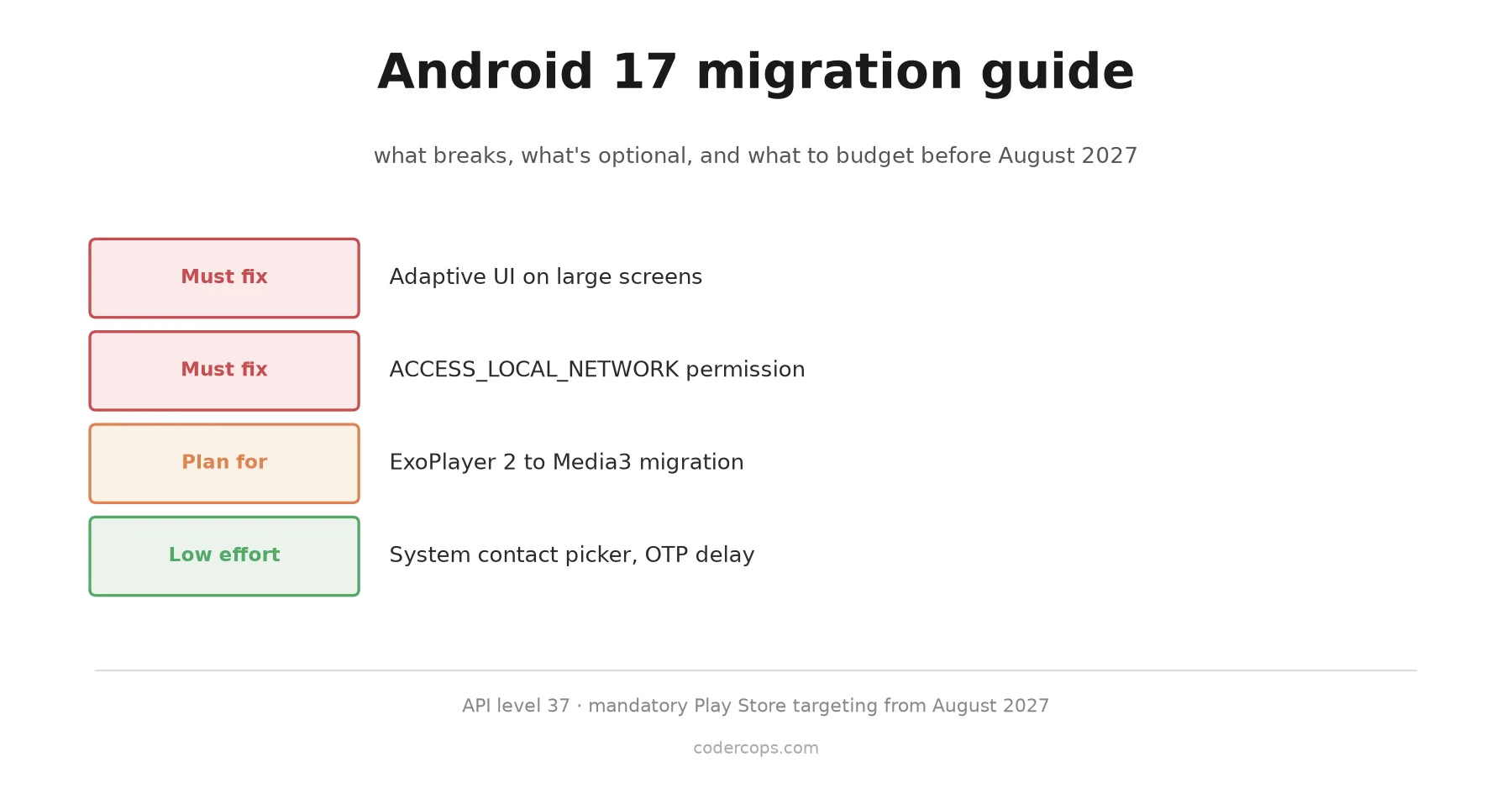
Three changes need real engineering time: large-screen adaptive UI enforcement, the new ACCESS_LOCAL_NETWORK permission, and the ExoPlayer 2 to Media3 migration. Everything else is transparent to well-behaved apps or opt-in. Audit against those three now. You have roughly a year before targeting API 37 becomes mandatory on Google Play.
What changed, ranked by how much it costs you
| Change | Action needed | Who’s affected |
|---|---|---|
| Adaptive UI on large screens | Must fix | Any app that locked orientation or opted out of resizing |
ACCESS_LOCAL_NETWORK permission | Must fix | Apps doing mDNS discovery, casting, local device scanning |
| ExoPlayer 2 → Media3 | Should plan for | Any app still on the older media library |
| System contact picker | Low effort, optional | Apps requesting READ_CONTACTS just to pick one contact |
| OTP SMS 3-hour delay | Transparent for most | Apps using SMS Retriever API or User Consent already |
| New APIs (Handoff, RAW14, VVC, eyedropper) | Opt-in | Apps that want the new capability |
Large-screen resizability is no longer optional
This is the change most likely to catch teams off guard. Previous Android versions let you set android:screenOrientation="portrait" or android:resizeableActivity="false" in your manifest and the system would respect it, keeping your phone-shaped UI phone-shaped even on a 12-inch tablet. Once your app targets API 37, the system ignores those flags on large screens (roughly 600dp and wider). Your activity gets resized and windowed like everyone else’s, whether your layout is ready for it or not.
If your app was built assuming a fixed phone layout, this is the change that actually costs a sprint. Test at tablet and foldable widths now, not after the deadline forces the issue. If your UI is still built on the View system, the Compose-first shift away from Android Views makes adaptive layouts much easier to maintain. Configuration changes on large screens also no longer trigger activity recreation by default, which means code that assumed onCreate() would fire on every resize needs to move that logic into onConfigurationChanged() instead.
class MainActivity : ComponentActivity() {
    override fun onConfigurationChanged(newConfig: Configuration) {
        super.onConfigurationChanged(newConfig)
        // Handle width/height class changes here instead of
        // assuming a fresh onCreate() on every resize.
        updateLayoutForWindowSize(newConfig.screenWidthDp)
    }
}
Games are exempt from this enforcement, based on Play Store category, but if you ship a productivity, utility, or content app, budget the time to actually test on a tablet or a foldable in both orientations, not just the emulator’s default profile.
ACCESS_LOCAL_NETWORK is a new gate on a previously invisible capability
Before this release, an app could scan the local network for Chromecast devices, smart printers, or IoT hardware without asking the user for anything. That’s now behind a runtime permission, ACCESS_LOCAL_NETWORK, in the same permission group as nearby device access, so you won’t be stacking a second unrelated prompt on top of Bluetooth permissions if you already request those.
Declare it in your manifest:
<uses-permission android:name="android.permission.ACCESS_LOCAL_NETWORK" />And request it at runtime the same way you’d request any other dangerous permission:
private val requestLocalNetworkPermission =
    registerForActivityResult(ActivityResultContracts.RequestPermission()) { granted ->
        if (granted) {
            startDeviceDiscovery()
        } else {
            showLocalNetworkRationale()
        }
    }

fun ensureLocalNetworkAccess() {
    when {
        ContextCompat.checkSelfPermission(
            this, "android.permission.ACCESS_LOCAL_NETWORK"
        ) == PackageManager.PERMISSION_GRANTED -> startDeviceDiscovery()
        else -> requestLocalNetworkPermission.launch("android.permission.ACCESS_LOCAL_NETWORK")
    }
}
If your app does any mDNS/Bonjour discovery, casting, or talks to devices on the same Wi-Fi network, find that code path and add the permission check before it runs. If you skip it, the discovery calls will silently fail or throw a security exception on devices targeting API 37, and you’ll find out from a support ticket instead of a test run.
Background audio and the ExoPlayer 2 problem
Android 17 tightens background audio playback rules, and the tightened behavior is built around the session and focus handling in Media3, not the older ExoPlayer 2 library. There’s no hard wall that stops ExoPlayer 2 from running, but apps still on it are more likely to see playback interruptions, lost audio focus, or notification issues under the new rules. Google has been nudging developers toward Media3 for a couple of years now; this release is the point where sitting on ExoPlayer 2 stops being a “someday” item.
If you’re already on Media3, this is a non-event, just verify your MediaSession and audio focus handling against the updated background restrictions. If you’re not, treat the migration as its own project. It touches playback state management, notification integration, and session callbacks across your app, and it is not a drop-in dependency swap. Teams that maintain an older media stack often underestimate this because the API surface looks similar on paper; budget more time than the migration guide implies.
The genuinely low-effort stuff
Not everything here needs a sprint. The new system contact picker lets you request a single contact through ACTION_PICK_CONTACTS and get back just the fields you need, without ever asking for the broad READ_CONTACTS permission. If your app only needs “let the user pick one contact to share with,” switching to the picker is a small change that also improves your privacy posture and probably your Play Store data safety disclosure.
The 3-hour delay on OTP SMS visibility is an anti-fraud measure aimed at malware that reads incoming SMS to intercept one-time codes. If your app already uses the SMS Retriever API or SMS User Consent flow to read verification codes (the recommended approach for years now), this change doesn’t affect you at all. If you’re still parsing SMS content directly with a broad SMS read permission, you should migrate to the Retriever API regardless of this release. It’s better UX and better security either way.
The rest, the Handoff API for cross-device continuity, RAW14 capture, VVC/H.266 decoding, dynamic camera output surfaces, and the eyedropper API, are net-new capabilities. Nothing in your existing app requires touching them. They’re worth a look if you’re planning new features that map to what they do, but they don’t belong on your migration checklist.
A realistic timeline
Given the August 2027 mandatory-targeting deadline, here’s a sequence that doesn’t turn this into a fire drill:
- This quarter: audit your app against the large-screen resizability and local network permission changes specifically. These are the two that produce visibly broken behavior, not silent failures, so they’re the ones worth finding early.
- Next planning cycle: if you’re still on ExoPlayer 2, scope the Media3 migration as its own ticket with a realistic estimate, not a one-line task buried in a sprint.
- Any time before the deadline: pick up the contact picker and SMS Retriever changes opportunistically, they’re small enough to bundle into unrelated release work.
- Six months out from August 2027: do a full regression pass on a large-screen device and a foldable before you bump
targetSdkVersionto 37 in production.
If you’re weighing whether to handle this in-house or bring in outside help for the resizability and media work specifically, it’s the kind of scoped, time-boxed engagement that fits well with a custom software development partner rather than a full hire (our guides on how to hire an Android developer and how to hire a Kotlin developer cover the options), since the work has a clear start and end date tied to the deadline above.
The full list of changes is also covered in Google’s 17 things Android developers should know from Google I/O. None of this is an emergency. It is, however, a real deadline with real code changes behind it, and the teams that treat it as a planning item now will spend a lot less time on it than the teams that treat it as next year’s problem.
Frequently asked questions
- Do I need to update my app for Android 17 right now?
- Not urgently. Android 17 (API 37) is out, but Google Play doesn't require apps to target it until August 2027. The sensible move is to audit your app against the changes now, budget engineering time for the ones that apply, and schedule the work into a normal release rather than treating it as an emergency.
- What is ACCESS_LOCAL_NETWORK and does my app need it?
- It's a new runtime permission that gates access to devices and services on the local network, things like mDNS/Bonjour discovery, UPnP, casting to a smart TV, or connecting to a local printer or IoT device. If your app does any of that, you need to declare the permission in your manifest and request it at runtime, similar to how location or camera permissions work today.
- Do I have to migrate from ExoPlayer 2 to Media3 for Android 17?
- There's no hard technical block that stops ExoPlayer 2 from running, but Android 17's tightened background audio playback rules are built around Media3's session and focus APIs. Apps still on ExoPlayer 2 are more likely to hit playback interruptions and focus issues. Google has been signaling the ExoPlayer 2 to Media3 migration for a while; this release is a good forcing function to finally do it.
- Will my phone-only app break on tablets after Android 17?
- If you were relying on screenOrientation locks or resizeableActivity=false to keep your app phone-shaped on large screens, targeting API 37 removes that escape hatch. The system will resize your activity regardless. You need to test your layouts at tablet and foldable widths and handle configuration changes properly, or your UI will look broken rather than simply small.
Sources
Sponsored



Sponsored
Discussion
Join the conversation.
Comments are powered by GitHub Discussions. Sign in with your GitHub account to leave a comment.
Sponsored