Technology · Mobile Development
Android Views Just Entered Maintenance Mode
Google made Android UI Compose-first: Views gets critical fixes but no new features, ever. What maintenance mode covers, and how to plan a migration.

Aman Chaudhary
5 min read
Sponsored
Five years after Jetpack Compose’s stable release, Google made the shift official: Android UI development is Compose-first now, and the classic View system, the one most Android apps still ship with some portion of, has entered maintenance mode. If your app has View-based screens you haven’t touched in a while, this is the moment to understand what that actually changes and what it doesn’t.
What “maintenance mode” actually means here
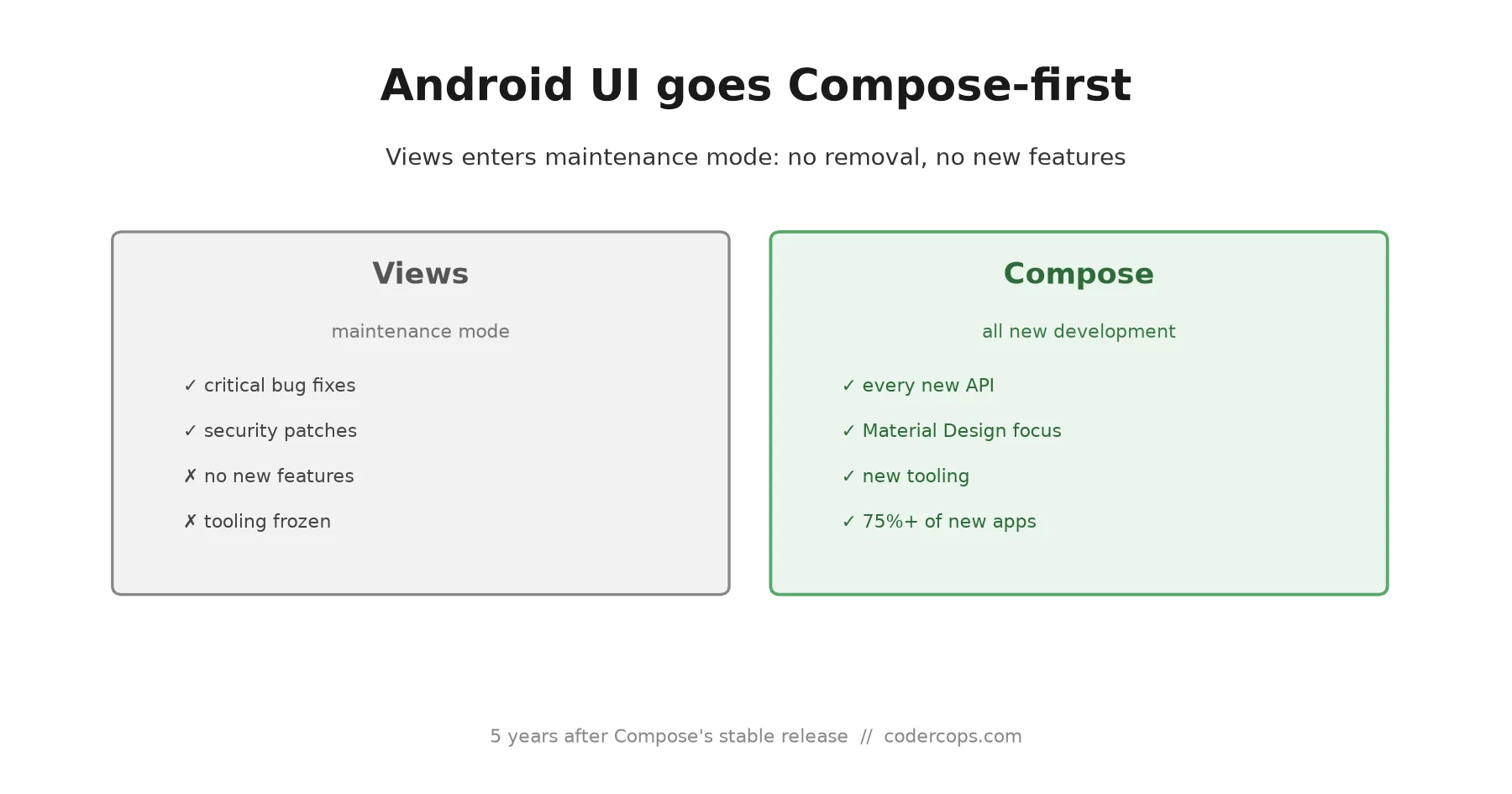
Google’s own framing is careful, and worth reading precisely instead of assuming the worst. The View system, android.widget and everything built on it, including Fragments, RecyclerView, and ViewPager, is not deprecated. There’s no removal timeline. Existing View-based apps keep working, keep compiling, and keep receiving critical bug fixes and security patches.
What stops is new feature development. From here forward, every new Jetpack API, every new capability Google ships for Android UI, lands in Compose first, and in a lot of cases, Compose only. The tooling built specifically around Views, the Layout Editor and Navigation Editor in Android Studio, is also in maintenance mode: it’ll keep working, but it won’t gain new capabilities either.
Material Design’s own component library is following the same path, shifting its focus entirely to Compose. That’s arguably the more consequential detail buried in the announcement: it affects the design system a large share of Android apps build on top of, not just Google’s own APIs.
Why this is different from a typical deprecation notice
Most platform deprecations come with a clock: a version number where the old API stops working, a removal date, a forced migration. This isn’t that. A View-based screen you shipped five years ago will keep running exactly as it does today, with no code changes required and no compiler warnings demanding action.
The actual risk is slower and easier to ignore in the short term: every release cycle, the gap between what you can build in Compose and what you can build in Views gets a little wider, because new platform capabilities increasingly assume Compose. That’s a different kind of technical debt than “this will break in six months.” It’s “this will quietly become the more expensive way to build things,” which is a harder problem to get budget approval for, precisely because nothing is on fire yet.
Google reports more than 75% of new production Android apps are already building their UI layer on Compose first. That figure is about new projects, not the installed base of existing apps, which is the more relevant number if you’re maintaining something that shipped years ago. It’s a real signal about where new work is landing, not a claim that most existing View-based screens have already migrated.
What Google actually recommends, and what we’d add
The official guidance is measured: build new features in Compose, and convert existing screens to Compose only when you’re already touching them for other reasons, a redesign, a bug fix, a feature addition to that specific screen, rather than treating migration as its own standalone project. Compose and Views interoperate in the same app through Google’s interop APIs, so you’re not choosing between a full rewrite and doing nothing.
That guidance is right for most teams, and worth pushing back on if your instinct is to schedule a dedicated migration sprint. Standalone UI migrations without a forcing function (a hard platform deadline, a customer-visible bug that only the new system fixes) tend to lose priority against feature work indefinitely, and a maintenance-mode announcement without a removal date is specifically not that forcing function. The realistic plan for most existing apps: default every new screen to Compose starting now, and let old screens migrate opportunistically as you touch them, rather than committing engineering time to a rewrite that competes with your actual roadmap.
Where we’d add nuance beyond Google’s guidance: audit which of your View-based screens use custom View subclasses or low-level canvas drawing, since those tend to be the most expensive to port and the ones where a naive automated conversion is most likely to introduce subtle rendering bugs. Google has published an XML-to-Compose migration skill for its AI coding assistants to help with mechanical conversions, which is genuinely useful for straightforward layouts, but it’s worth treating custom-drawn Views as a separate, manually-reviewed category rather than trusting an automated pass on them.
The practical takeaway
Nothing breaks today. If you’re maintaining a View-based Android app, this isn’t an emergency, but it is a signal worth acting on deliberately rather than ignoring until it becomes one. Set a team-wide default that new screens are Compose, budget migration of legacy screens into the normal course of touching them, and treat any screen with heavy custom View logic as a planned, reviewed conversion rather than a quick automated pass. Teams that make this call now, while there’s no deadline pressure, end up migrating on their own schedule instead of scrambling later when the gap between the two systems has widened further.
If your team is weighing what this means for a specific app’s roadmap, or scoping a Compose migration for an existing Android codebase, our engineering team has worked through exactly this kind of platform transition on client projects, and we wrote more broadly about staying current with Android’s release cadence in our Android 17 migration guide.
Frequently asked questions
- Is Android View development actually deprecated?
- No. Google's own language is 'maintenance mode,' not deprecation. The View system, including android.widget, Fragments, RecyclerView, and ViewPager, keeps receiving critical bug fixes and security patches. There's no announced removal timeline and no plan to break existing View-based apps. What changes is that Views stop receiving new features or capabilities: everything new ships in Compose only, from this point forward.
- Do I need to migrate my whole app to Compose right now?
- Google's own recommendation is no. Build new features in Compose going forward, and convert existing View-based screens to Compose when you're already touching them for other reasons (a redesign, a bug fix that touches that screen anyway), rather than running a standalone migration project. Compose and Views can coexist in the same app through interop APIs, so a full rewrite isn't the only path.
- What exactly stops working in Views if I don't migrate?
- Nothing stops working. The risk isn't breakage, it's stagnation: new Jetpack libraries, new Material Design components, and new platform capabilities will increasingly ship Compose-only. A View-based screen won't break, but it will fall further behind what you can build with new APIs every release cycle, and the tooling built around Views (Layout Editor, Navigation Editor) is also in maintenance mode, so it won't gain new capabilities either.
- How much of the Android ecosystem has actually moved to Compose?
- Google reports more than 75% of new production Android apps now build their UI layer on Compose first, as of mid-2026. That's a strong majority for new projects, though it says less about how much of the installed base of existing apps has migrated, since older, stable apps have less incentive to rewrite working screens.
- What's the actual migration path Google recommends?
- Convert incrementally, screen by screen, using Compose's interop layer to mix Compose and View-based screens in the same app during the transition. Google has published an XML-to-Compose migration skill for its AI coding tools to help automate the conversion of existing layouts. Prioritize screens you're already changing for other reasons over a dedicated top-to-bottom rewrite, which tends to stall roadmaps without a hard deadline forcing it.
Sources
Sponsored



Sponsored
Discussion
Join the conversation.
Comments are powered by GitHub Discussions. Sign in with your GitHub account to leave a comment.
Sponsored