Web Development · CSS
CSS @scope Explained: Style Isolation, No Build Step
@scope applies CSS only inside part of the DOM, with a lower bound that excludes nested components. No BEM, no Shadow DOM. Syntax and where it falls short.

Anurag Verma
6 min read
Sponsored
CSS @scope, explained plainly: it delivers style isolation for one part of the DOM, using a scope root selector, with no class naming convention, no build step, and no Shadow DOM needed. Before it existed, style leakage had three traditional fixes: a class naming convention everyone has to remember (BEM, or some variant of it), a build step that rewrites class names for you (CSS Modules, CSS-in-JS), or Shadow DOM’s full encapsulation, which solves leakage by making the DOM itself invisible to outside selectors. @scope, now Baseline in current versions of every major browser (see Baseline 2026’s feature list), is a fourth option: tell the browser directly which part of the DOM a rule is allowed to touch, in plain CSS, with no tooling and no naming discipline required.
The basic syntax
@scope (.card) {
  img { border-radius: 8px; }
  h3 { font-weight: 600; }
}
Every rule inside this block only matches elements that are descendants of something matching .card. An img outside any .card is untouched. This alone solves a real problem: without it, .card img { border-radius: 8px; } and @scope (.card) { img { ... } } look almost identical, but the scoped version doesn’t leak if you later add a second, unrelated selector inside the same stylesheet that happens to also start with .card.
The donut: adding a lower bound
The part that plain nesting genuinely cannot do is exclude a subtree partway down.
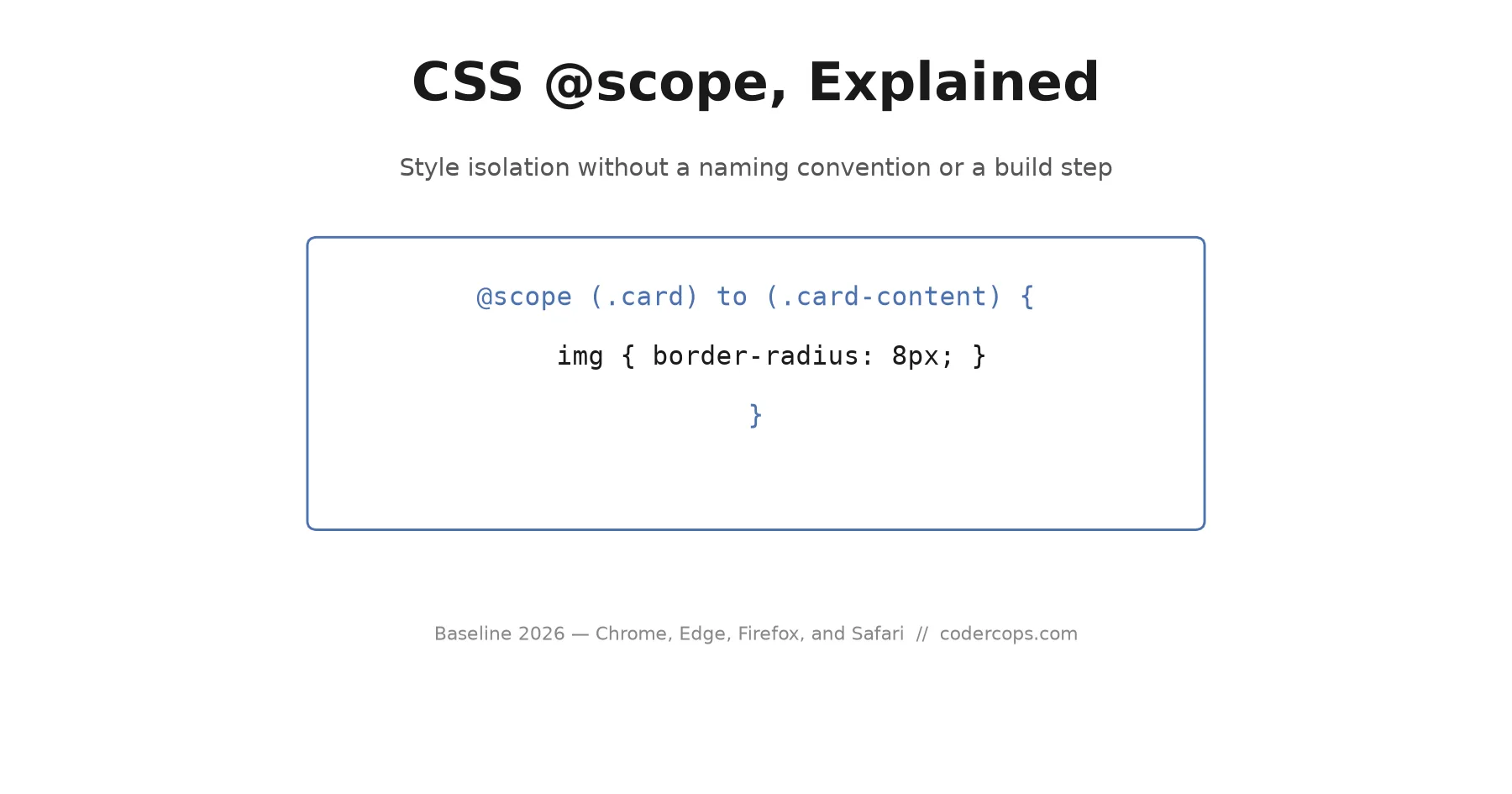
@scope (.card) to (.card-content) {
  img { border-radius: 8px; }
}
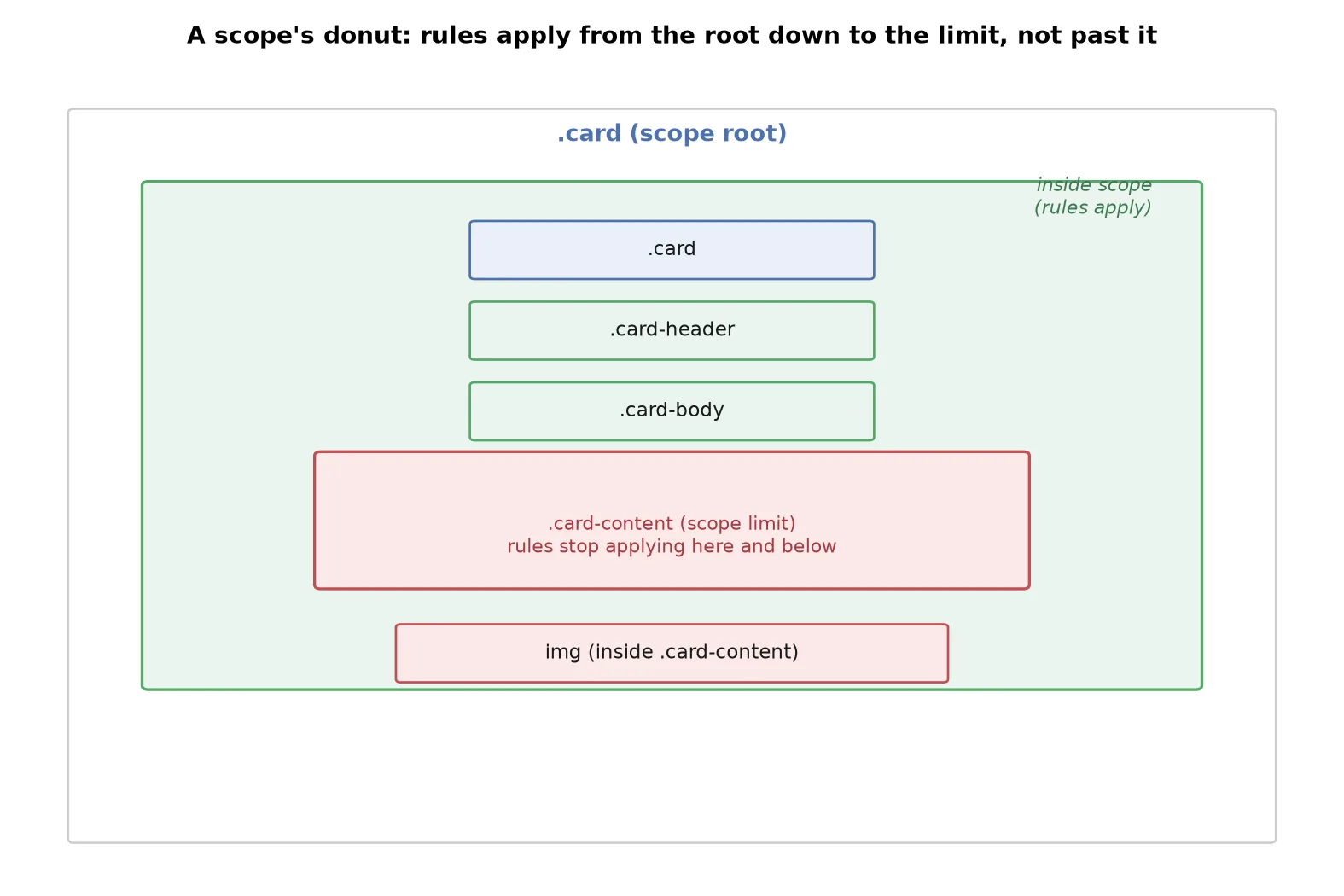
This rule applies to an img inside .card and inside .card-header or .card-body, but not to an img inside .card-content, even though .card-content is still nested inside .card in the DOM. That’s the donut shape: the scope root opens the ring, the scope limit closes it, and anything at or past the limit is excluded regardless of how deep it sits in the tree.
This matters for exactly the case that plain descendant selectors get wrong: a card component that embeds a third-party widget, a rich text area, or any nested component whose internal markup you don’t control and don’t want your card’s styles reaching into. Before @scope, keeping that boundary meant either a strict naming convention nobody’s new hire has fully internalized yet, or a build tool doing the isolation for you.
Specificity changes, and it’s worth testing
:scope inside an @scope block behaves like a pseudo-class, and that has a real specificity cost. A selector like @scope (.card) { p { color: navy; } } doesn’t just mean “any p inside .card,” it competes against other rules with :scope’s specificity implicitly factored in. If an existing stylesheet has carefully tuned specificity to avoid !important, dropping @scope in without checking how the new specificity interacts with what’s already there can produce a rule that wins or loses a cascade fight differently than the equivalent unscoped version would have. Test this against your actual stylesheet before adopting it broadly, not just against an isolated demo. If the real problem is cascade ordering rather than scoping, CSS cascade layers solve a related but distinct problem and are worth ruling out first.
Scoping without a root selector
Inside a <style> element, @scope doesn’t require a root selector at all:
@scope {
  img { border-radius: 8px; }
}
Used this way, the scope root is implicit: it’s the parent element of the <style> tag itself. A server-rendered partial or a web component that injects its own <style> block per instance gets isolation without generating a unique class name for that instance, and without JavaScript picking a scope root at runtime. This shortcut only works inside an inline <style> element; an external stylesheet has no parent element to imply, so it always needs an explicit root selector.
What it doesn’t do
@scope solves style leakage. It is not Shadow DOM, and conflating the two leads to surprises:
| Capability | @scope | Shadow DOM |
|---|---|---|
| Limits which elements a rule matches | Yes | Yes (implicitly, via encapsulation) |
| Stops outside CSS from affecting scoped elements | No | Yes |
| Isolates custom properties (CSS variables) | No, they still inherit normally | Yes, unless explicitly passed through |
| Requires a build step or naming convention | No | No |
| Creates a new DOM subtree boundary | No, same DOM, just scoped rule matching | Yes, a genuinely separate tree |
An outside rule with higher specificity, or one that comes later in source order with equal specificity, can still override a scoped rule’s styling on the same element. @scope is about where your rules apply, not about protecting scoped elements from rules you didn’t write yourself. If a component genuinely needs protection from arbitrary outside CSS, Shadow DOM remains the tool for that, at the cost of the extra complexity it brings with slotting and event retargeting. MDN’s @scope reference documents the full matching algorithm, including how the scope limit interacts with :has().
When it’s worth reaching for
@scope earns its place in a component-heavy codebase where the components genuinely nest, a design system with cards, panels, and widgets that get composed inside each other, and where a plain descendant selector currently either leaks into nested components or requires a naming convention that’s more discipline than the team actually maintains in practice. It pairs naturally with container queries, since both scope a rule to a subtree rather than to the whole document, one by size, the other by DOM position. It’s a poor fit as a replacement for a CSS Modules setup you already have working well for other reasons, tree-shaking and co-location being two of them, since @scope doesn’t provide either.
The same “does this actually solve my specific problem, or just look like it does” question is worth asking of new CSS features generally, the same way it’s worth asking of CSS Anchor Positioning before ripping out an existing JavaScript positioning library. @scope is a genuinely useful, narrow tool for style isolation. It is not, on its own, a component architecture.
Frequently asked questions
- What does @scope actually do?
- It limits where a group of CSS rules can match. You give it a scope root selector, and every rule inside the @scope block only applies to elements that are descendants of an element matching that root. It's a way to say 'these styles only apply inside this component,' enforced by the browser rather than by a naming convention your team has to remember to follow.
- How is @scope different from just nesting a selector under a parent class?
- Nesting (.card .title { }) still matches a .title anywhere inside any .card, including inside a nested component that happens to also be inside a .card. @scope adds a lower bound: @scope (.card) to (.nested-widget) stops matching once it crosses into a .nested-widget, even if that widget is still technically inside .card in the DOM. Plain nesting has no way to express that exclusion.
- What is the 'donut' shape people mention with @scope?
- It refers to the area where scoped rules actually apply when you specify both a root and a limit: everything between the root and the limit, but not inside the limit itself. Picture a ring, wide open at the root end, closed off at the limit end. It's the mental model that makes @scope's two-argument form easier to reason about than a single selector string.
- Does @scope replace CSS Modules or BEM?
- For the specific problem of style leakage between components, often yes, if your browser support target allows it. But @scope doesn't rename classes, doesn't tree-shake unused styles, and doesn't give you the tooling ecosystem (co-located files, TypeScript types for class names) that CSS Modules provides. It's a native answer to isolation, not a full replacement for a build-time styling system if you're already relying on the extra tooling for other reasons.
- Is @scope safe to use in production in 2026?
- It reached Baseline status in 2026, meaning it works in current stable versions of Chrome, Edge, Firefox, and Safari. That's 'newly available,' not 'universally available': a meaningful fraction of real users are still on older browser versions that predate this, especially on older Android devices and enterprise-managed Windows machines. Ship it with a plain-CSS fallback for anything where a missed style boundary would actually break the page, not just look slightly different.
Sources
Sponsored
More from this category
More from Web Development



Sponsored
Discussion
Join the conversation.
Comments are powered by GitHub Discussions. Sign in with your GitHub account to leave a comment.
Sponsored