Web Development · Frontend
CSS Media State: Build a Custom Video Player
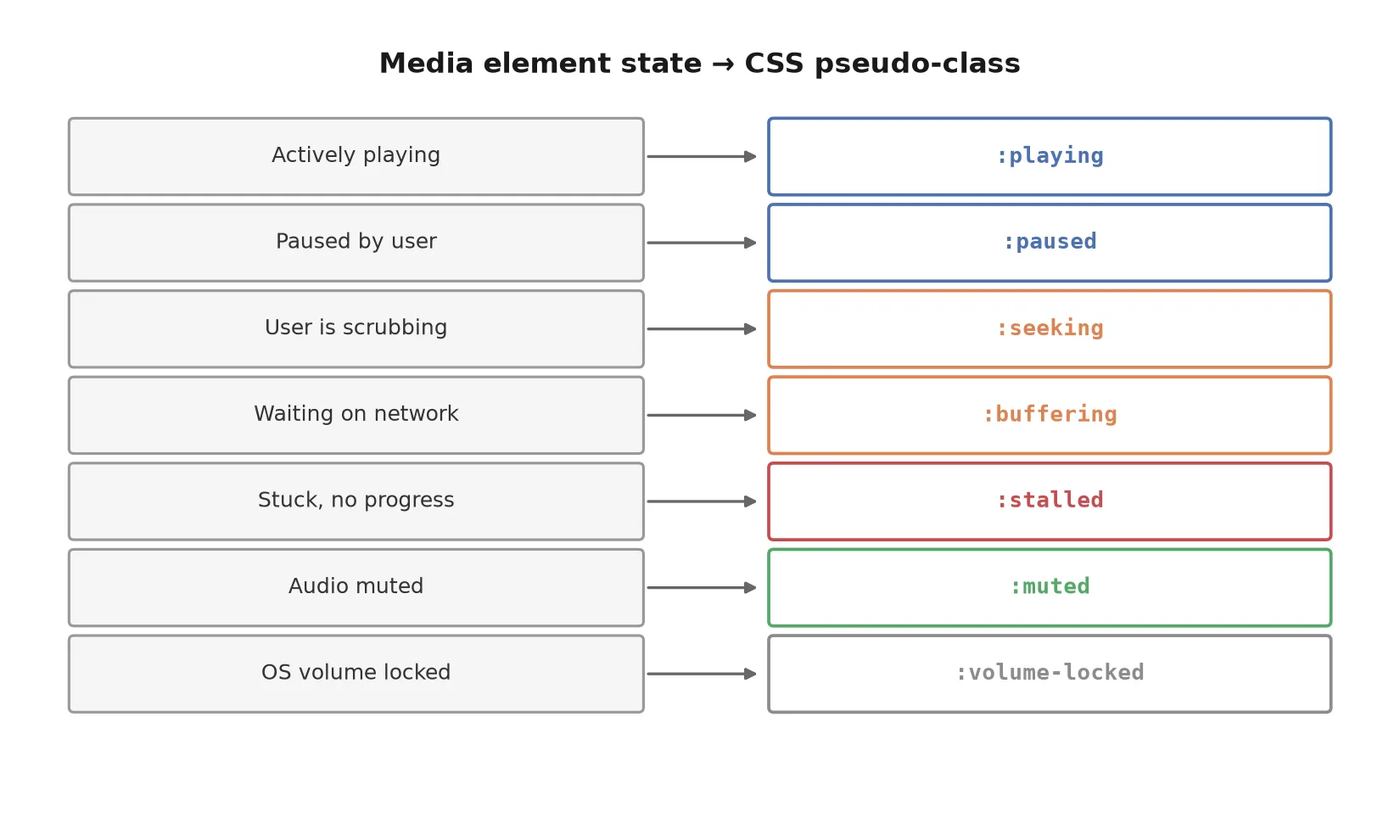
Chrome 152 added :playing, :paused, :buffering, and :muted as real pseudo-classes. A runnable custom player built on them, plus the JS fallback.

Abhishek Gupta
5 min read
Sponsored
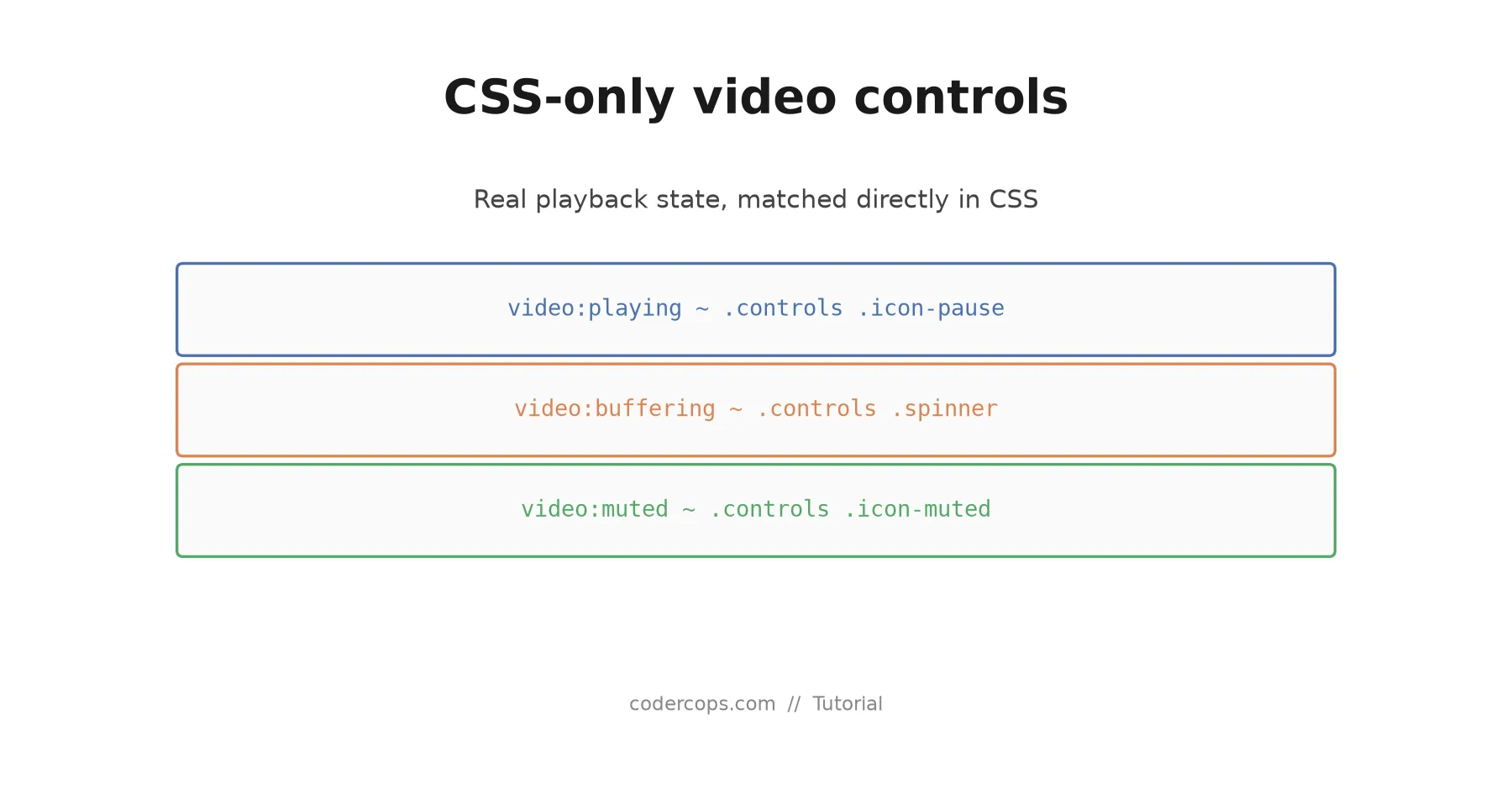
If you’ve ever built a custom video player, you know the annoying part isn’t the play button. It’s keeping every other piece of UI in sync with what the video is actually doing: swapping the icon when playback starts, showing a spinner during a buffering stall, greying out the volume control when the OS has locked it. That sync logic used to live entirely in JavaScript. As of Chrome 152, most of it can live in CSS instead, matching real media state directly.
Here’s a complete player built with the new pseudo-classes, plus the fallback you need for every other browser.
The markup
Nothing unusual here. A native <video> element with controls removed, and a set of custom control elements sitting next to it.
<div class="player">
  <video id="clip" src="/media/demo.mp4" preload="metadata"></video>

  <div class="controls">
    <button class="play-toggle" aria-label="Play or pause">
      <span class="icon-play">▶</span>
      <span class="icon-pause">⏸</span>
    </button>

    <div class="spinner" aria-hidden="true"></div>

    <button class="mute-toggle" aria-label="Mute or unmute">
      <span class="icon-unmuted">🔊</span>
      <span class="icon-muted">🔇</span>
    </button>
  </div>
</div>
The CSS: state-driven, no JavaScript required for icon swaps
This is the entire visual logic for play/pause, buffering, and mute state:
/* Default: hide the elements that only make sense in a specific state */
.icon-pause,
.spinner,
.icon-muted {
  display: none;
}

/* Swap play/pause icon based on real playback state */
video:playing ~ .controls .icon-play { display: none; }
video:playing ~ .controls .icon-pause { display: inline; }

video:paused ~ .controls .icon-play { display: inline; }
video:paused ~ .controls .icon-pause { display: none; }

/* Show a spinner exactly when the browser is actually stalled or buffering */
video:buffering ~ .controls .spinner,
video:stalled ~ .controls .spinner {
  display: block;
}

/* Mute icon reflects real audio state, including OS-level volume locks */
video:muted ~ .controls .icon-unmuted { display: none; }
video:muted ~ .controls .icon-muted { display: inline; }

video:volume-locked ~ .controls .mute-toggle {
  opacity: 0.4;
  pointer-events: none;
}
Notice what’s missing: no .is-playing class, no .is-buffering class, nothing added or removed by a script. The browser knows the real state of the media element, and these selectors just read it. If a network hiccup causes buffering that your JavaScript event handler missed by a few milliseconds, this CSS still gets it right, because it isn’t relying on an event firing at all. It’s a live query against actual state.
The JavaScript you still need
Two things still require script: actually calling .play()/.pause()/.muted = true in response to clicks, and providing a fallback for browsers that don’t yet support the pseudo-classes.
const video = document.getElementById('clip');
const playToggle = document.querySelector('.play-toggle');
const muteToggle = document.querySelector('.mute-toggle');

playToggle.addEventListener('click', () => {
  video.paused ? video.play() : video.pause();
});

muteToggle.addEventListener('click', () => {
  video.muted = !video.muted;
});

// Feature-detect support for the new pseudo-classes rather than
// sniffing the browser. This is the part that keeps the player
// working identically in Firefox and Safari today.
const supportsMediaState =
  typeof CSS !== 'undefined' &&
  CSS.supports('selector(video:playing)');

if (!supportsMediaState) {
  const syncState = () => {
    video.classList.toggle('js-playing', !video.paused && !video.ended);
    video.classList.toggle('js-buffering', video.readyState < 3);
    video.classList.toggle('js-muted', video.muted);
  };

  ['play', 'pause', 'waiting', 'playing', 'volumechange', 'stalled']
    .forEach(evt => video.addEventListener(evt, syncState));

  syncState();
}
Then mirror the same CSS rules using the fallback classes, scoped so they only apply when native support is absent:
video.js-playing ~ .controls .icon-play { display: none; }
video.js-playing ~ .controls .icon-pause { display: inline; }
video.js-buffering ~ .controls .spinner { display: block; }
video.js-muted ~ .controls .icon-muted { display: inline; }
This gets you identical behavior across browsers today, with the pleasant property that the fallback code quietly stops being necessary as Firefox and Safari add support, no rewrite required. You’re not maintaining two players. You’re maintaining one player with a shrinking fallback layer.
Why this is worth doing now, not later
The event-listener approach isn’t just more code, it’s a real source of production bugs. Miss a waiting event, and your spinner never shows during a genuine stall. Fire syncState before the DOM settles, and you get a flash of the wrong icon on load. Every one of those bugs is a class of problem that simply cannot happen when CSS reads live state directly, because there’s no event to miss and no manual class to fall out of sync.
If your team ships a design system with a shared media player component, this is a good candidate for your next sprint, not a someday item. Start with the feature-detection gate above, ship the native selectors behind it, and delete the fallback path entirely once your browser support matrix allows it. For teams weighing whether it’s worth the engineering time to revisit a component like this, this is exactly the kind of scoped, well-bounded improvement our web development team likes to slot into an existing maintenance retainer rather than treat as a separate project.
One more thing worth testing before you ship this: run your player through a screen reader with the fallback path disabled. The pseudo-classes only change visual state, so any aria-pressed or aria-live announcements you rely on for accessibility still need the same JavaScript wiring as before. Simplifying the CSS layer doesn’t reduce your obligation to keep the accessibility tree accurate, and it’s an easy thing to forget once the icons start working correctly on their own.
Try it against your own player this week. If your current implementation has a dedicated function just to keep icons in sync with playback state, you now have a straightforward path to deleting most of it.
Frequently asked questions
- Which browsers support the new media state pseudo-classes?
- As of Chrome 152 (August 2026), Chrome and Chromium-based browsers like Edge support them. Firefox and Safari do not yet. That's why the pattern in this tutorial always pairs the CSS selectors with a JavaScript fallback that mirrors the same state into data attributes, so the player works identically everywhere while progressively simplifying itself in browsers that support the native selectors.
- Do these pseudo-classes work on <audio> elements too?
- Yes. The pseudo-classes match on media element state generally, so :playing, :paused, and :muted work identically on <audio> and <video>. The example in this post uses video, but the same CSS applies unchanged to an audio player.
- Can I detect support for a specific pseudo-class in CSS itself?
- Yes, with CSS.supports('selector(video:playing)') in JavaScript, or an @supports selector() block directly in your stylesheet if you want a pure-CSS fallback path. Feature detection this way is more reliable than checking the browser name or version, because it directly answers the question you actually care about.
- Does this replace a video player library like Video.js or Plyr?
- Not for most production use cases. Player libraries handle a lot beyond icon state: accessibility, keyboard navigation, adaptive streaming, analytics hooks, and cross-browser quirks well beyond this one feature. This pattern is most useful if you're already building a lightweight custom player for a specific design, or if you maintain a player library and want to simplify its internals now that the browser does more of the state tracking for you.
Sources
Sponsored
More from this category
More from Web Development
Sponsored
Discussion
Join the conversation.
Comments are powered by GitHub Discussions. Sign in with your GitHub account to leave a comment.
Sponsored