Cybersecurity · Identity & Access
Device Code Phishing Is Beating MFA. Here's How EvilTokens Does It
EvilTokens is a phishing-as-a-service kit abusing OAuth's device code flow, and it doesn't need a fake login page to work. Here's how the attack actually runs and the Conditional Access policy that stops it.

Abhishek Gupta
5 min read
Sponsored
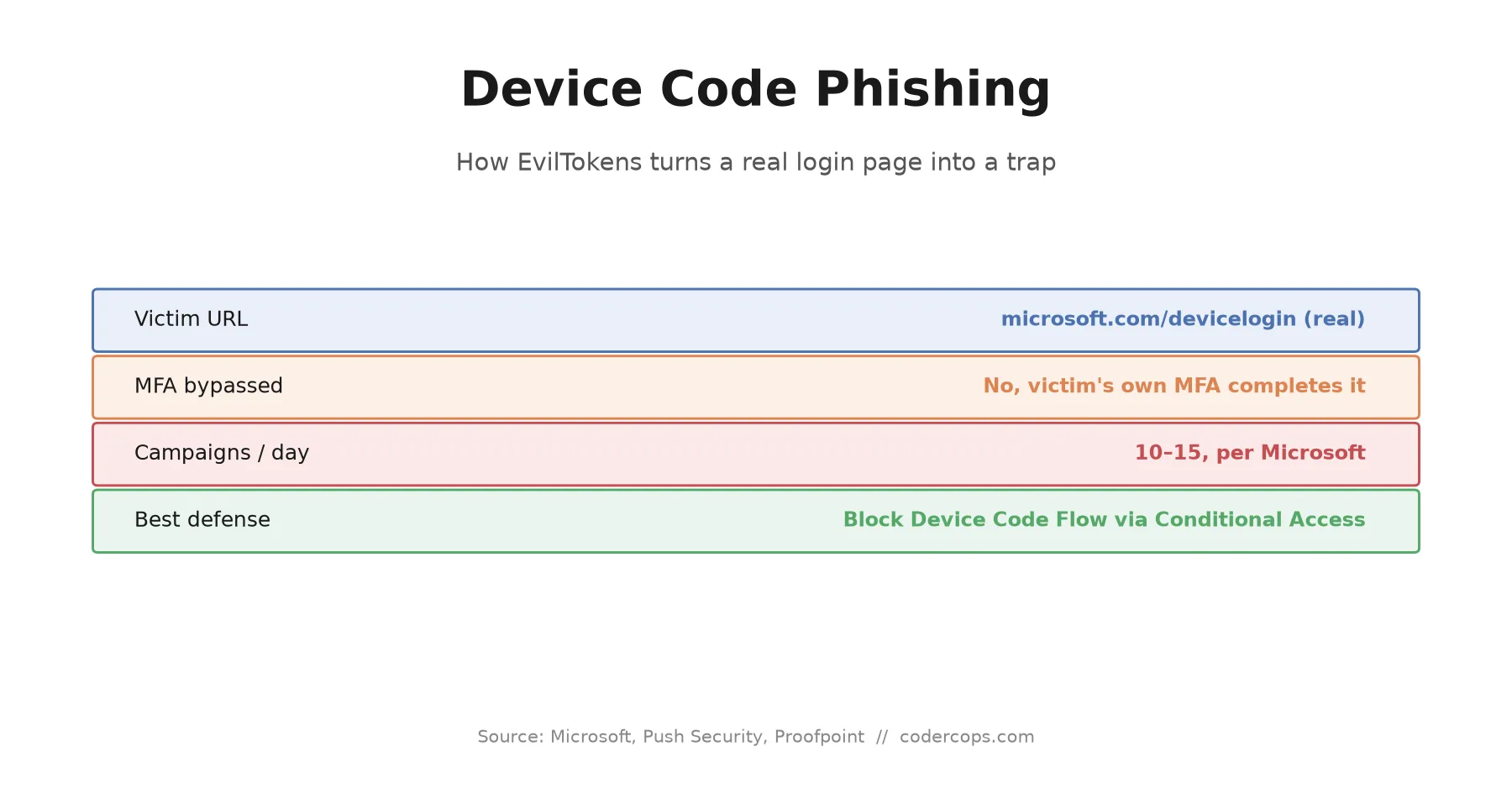
Tell someone to check the URL before they log in, and they’ll check the URL before they log in. Device code phishing wins anyway, because the URL is real. No spoofed domain, no typosquat, no fake certificate warning. The victim types microsoft.com/devicelogin into a browser themselves, sees the actual Microsoft login page, and hands an attacker a working OAuth token without ever entering a password on anything fake. EvilTokens, the phishing-as-a-service kit behind a wave of these attacks since March, has turned this into an assembly line.
The flow this abuses, and why it’s a real feature
OAuth’s device authorization grant exists for a legitimate reason: devices without a browser or a comfortable keyboard, a smart TV, a CLI tool, a streaming box, need a way to authenticate. The flow works by having the device display a short code, asking the user to visit a login page on a separate device (usually their phone), enter that code, and complete authentication there. Once they do, the original device receives a token.
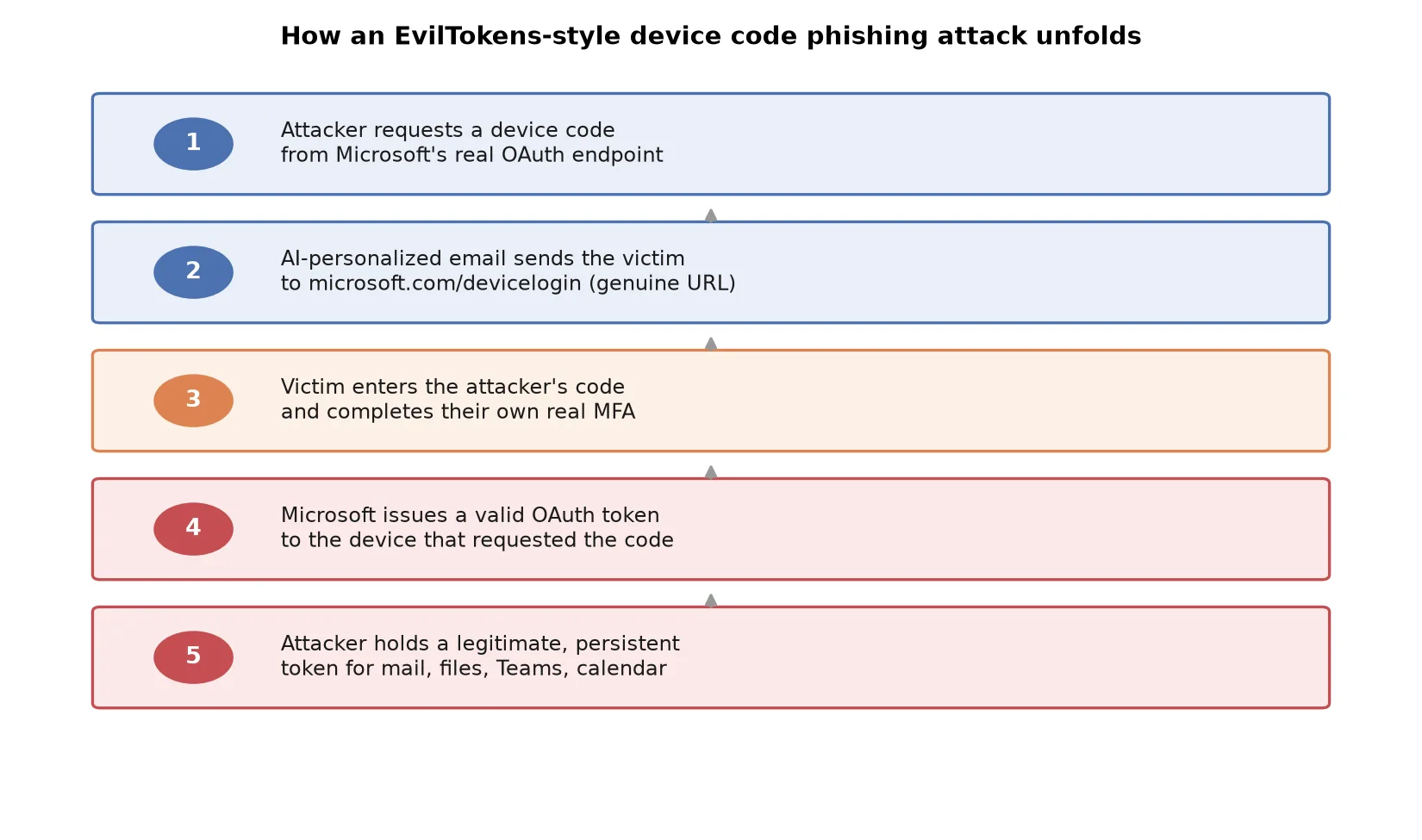
Nothing about that design assumes malice from the code itself, which is exactly the gap EvilTokens exploits. The attacker requests a device code from the real identity provider, then just needs a victim to enter it.
Why the lure works better than a standard phish
Classic phishing training tells people to check for a mismatched domain, a missing padlock, odd spelling. None of that applies here. The instruction a victim receives is “go to this legitimate, well-known URL and enter this code,” and the page they land on is the one they’d expect. Push Security and Proofpoint have both documented the same pattern: victims complete their own real multi-factor authentication as part of the process, so from the identity provider’s point of view, a genuine, verified user just authorized a device. The attacker never sees a password or a one-time code. They just wait for the token to land.
EvilTokens adds a second layer that makes this worse at scale. Instead of one email template blasted to a mailing list, the kit uses generative AI to write a unique lure per target, themed around that person’s actual role: an RFP request for someone in sales, an invoice for someone in finance, a document share notification for almost anyone. Researchers tracking one wave found no two lures identical across 344 victim organizations. That kills the usual defense of training people to recognize “the phishing email” as a single recognizable pattern, because there isn’t one.
The scale is not small
Microsoft has reported observing 10 to 15 distinct device code phishing campaigns launching every 24 hours since mid-March 2026. Independent trackers have put the increase in this attack category at well over 1,000% comparing late 2025 to early 2026. This isn’t a boutique technique used against a handful of high-value targets; it’s now a commodity attack sold as a service, which is exactly what “phishing-as-a-service” means in practice: a lower skill floor for whoever’s running the campaign, and a higher volume of attempts landing in ordinary inboxes.
What an attacker gets from a single successful device code phish is not a one-time win. The resulting OAuth token is persistent access, not a login session that expires when the browser closes. That token can reach corporate email, OneDrive, SharePoint, Teams, contacts, and calendar, depending on what scopes the app requested, and it keeps working until it’s explicitly revoked or expires on its own schedule.
Detection, if you’re not blocking the flow outright
For organizations that have a genuine need for device code flow somewhere in their environment and can’t disable it globally, detection has to focus on context rather than credentials, since the credentials involved are all legitimate. Look for signals like impossible travel, a device authorizing from a location or network the account’s normal usage pattern doesn’t support, and unusual timing between when a code is generated and when it’s redeemed. Flagging those patterns for review, rather than trusting that MFA completion equals a safe login, is the practical middle ground when you can’t remove the flow entirely.
The fix that actually closes the gap
Detection helps, but the direct answer is narrower than a new monitoring rule: block the device code flow for anyone who doesn’t have a documented reason to use it. In Microsoft 365 environments, that means a Conditional Access policy scoped to disable the Device Code authentication flow except for the specific service accounts or CLI use cases that genuinely need it. Most end users never touch this flow through legitimate use, which makes it a low-cost policy to apply broadly rather than a tradeoff against productivity.
This sits in the same category as the shift toward passwordless authentication with passkeys: the more durable fixes for phishing aren’t about training people to spot fakes, they’re about removing the specific mechanism the attack depends on. Device code phishing doesn’t need a fake page because it doesn’t need to fool the user about where they are, only about what they’re authorizing. Close that flow off by default, audit who actually needs it, and the entire EvilTokens playbook loses its opening move.
If your organization runs Microsoft 365 or another identity provider that supports the device code grant and hasn’t reviewed whether it’s open by default, that’s a policy change worth making this week, not after the first incident report lands. Our security team can help you audit Conditional Access policies as part of a broader identity review if you’re not sure where that flow is currently exposed.
Frequently asked questions
- What is device code phishing?
- It's a phishing technique that abuses OAuth's device authorization grant, a flow designed for devices without a browser or keyboard, like a smart TV or CLI tool. An attacker requests a device code from a legitimate identity provider, then tricks a victim into entering that code on the provider's real login page and completing their own MFA, unknowingly authorizing the attacker's device instead of their own.
- How is this different from a normal phishing email?
- A normal phishing email sends the victim to a fake or look-alike login page, which is what most security training teaches people to spot. Device code phishing sends the victim to the real, correctly-spelled provider URL, with a valid certificate and no visual red flags. The malicious part is the code they're asked to enter, not the page they land on.
- What is EvilTokens?
- EvilTokens is a phishing-as-a-service kit that automates device code phishing at scale. It generates live device codes on demand, bypassing the standard short expiration window, and uses generative AI to write a personalized lure for each target based on their role, so a batch of hundreds of emails can look like hundreds of distinct, plausible messages instead of one template repeated.
- Does MFA protect against device code phishing?
- No, and that's the core problem with this attack. The victim completes their own legitimate MFA challenge as part of the normal login flow. MFA verifies that the real user is present and authorized; it doesn't verify which device is receiving the resulting token. Device code phishing exploits exactly that gap.
- How do you actually block device code phishing?
- The most direct fix is a Conditional Access policy (or your identity provider's equivalent) that blocks the OAuth device code flow entirely for users who don't have a specific, documented need for it, such as CLI tools or headless devices. For everyone else, disabling the flow removes the attack surface rather than relying on the victim to recognize something is wrong.
Sources
Sponsored
More from this category
More from Cybersecurity
 R.01
R.01 CVE-2026-59309 and 59310: VMware vCenter Bugs Attackers Hit in Five Days
 R.02
R.02 The Ceva Logistics Breach Shows Why Your Vendor's Vendor Is Your Problem
 R.03
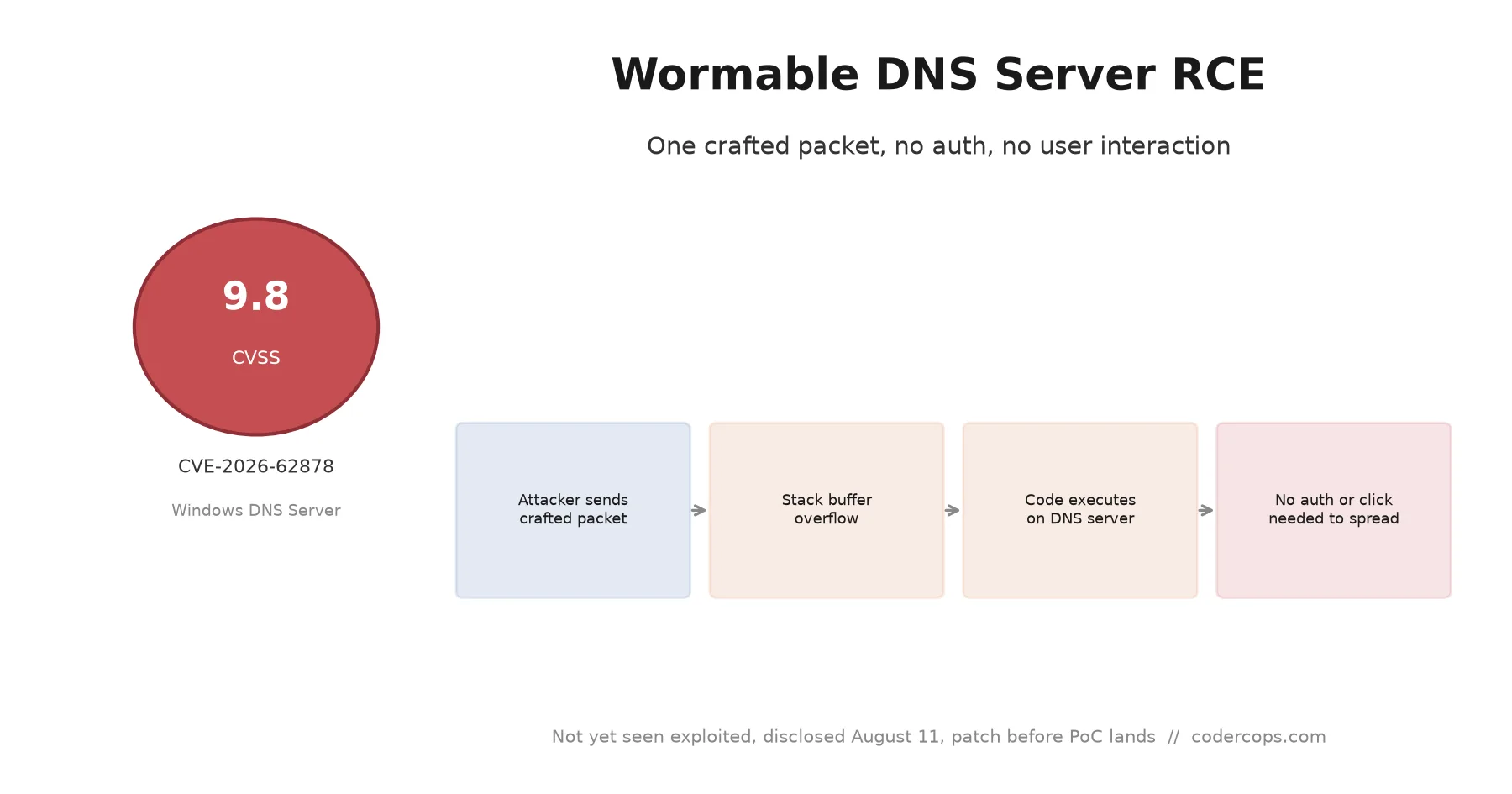
R.03 CVE-2026-62878: The Wormable Windows DNS Server Bug You Need to Patch Now
Sponsored
Discussion
Join the conversation.
Comments are powered by GitHub Discussions. Sign in with your GitHub account to leave a comment.
Sponsored