Web Development · Web Fundamentals
CORS Explained: Why Your API Calls Fail
No Access-Control-Allow-Origin is the most Googled web error for a reason. What CORS is, why the browser enforces it, and how to configure it properly.

Abhishek Gupta
6 min read
Sponsored
“Access to fetch at ‘https://api.example.com/users’ from origin ‘https://app.example.com’ has been blocked by CORS policy: No ‘Access-Control-Allow-Origin’ header is present on the requested resource.” If you’ve built anything with a separate frontend and API, you’ve seen this exact CORS error, and you’ve probably fixed it by pasting Access-Control-Allow-Origin: * into your server config without fully understanding why that worked, or what it broke.
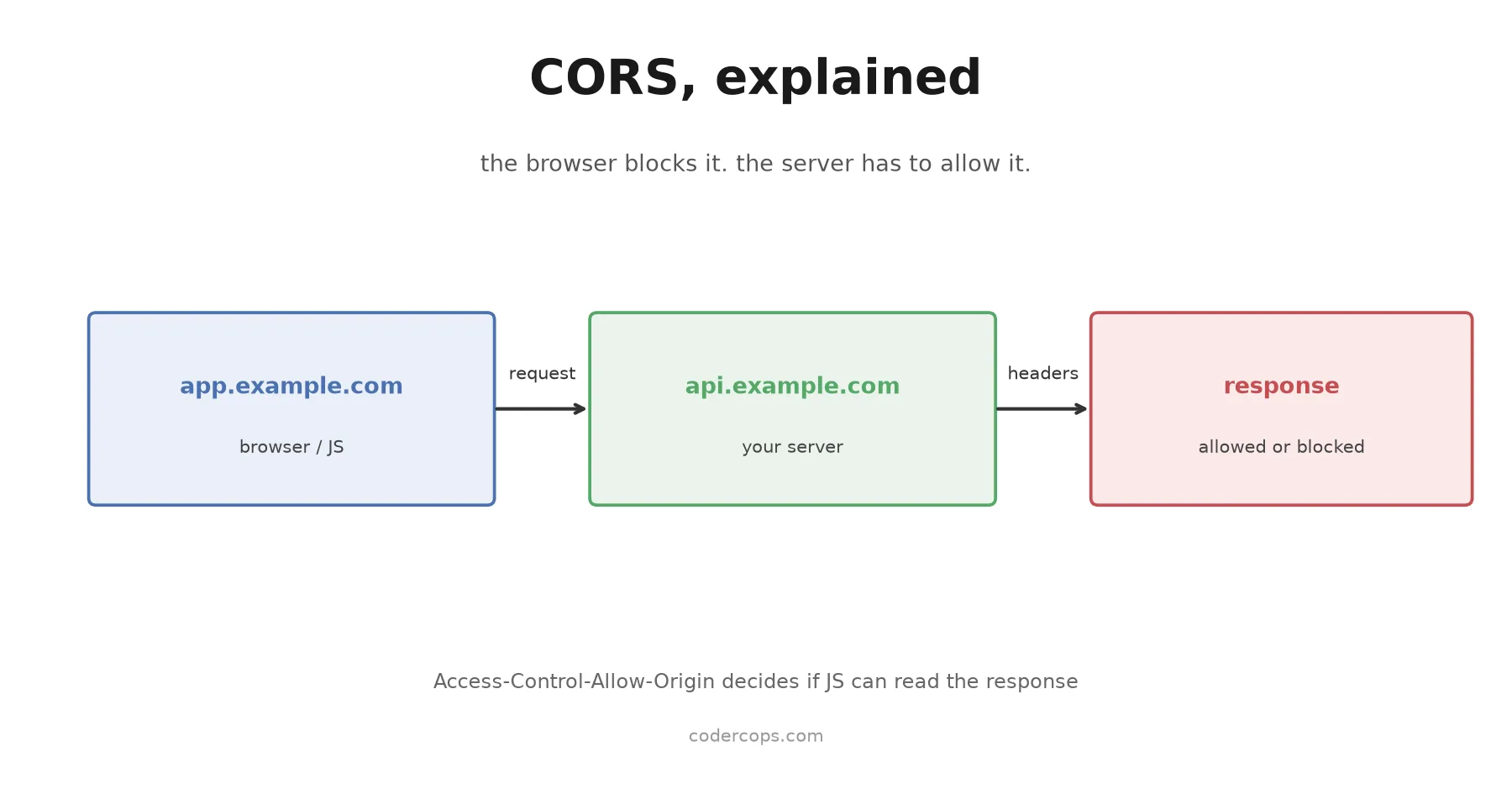
Here’s the direct answer: CORS (Cross-Origin Resource Sharing) is a browser-enforced permission system. Your API almost always processes the request and sends a response just fine. The browser is the one refusing to let your JavaScript read that response, because your frontend’s origin and your API’s origin don’t match, and the server didn’t explicitly say the calling origin is allowed. Fix it on the server. There is no frontend-only fix that isn’t secretly a proxy.
Why this exists at all
Browsers enforce something called the same-origin policy: a script running on https://app.example.com can only freely read responses from https://app.example.com. Two URLs share an origin only if the scheme, domain, and port all match exactly. https://app.example.com and https://api.example.com are different origins. So are http://localhost:3000 and http://localhost:8080. So are https://example.com and http://example.com.
Without this restriction, a malicious site could load in your browser, silently make a request to your bank’s API using your logged-in session cookies, and read the response. (A related attack, where the request is sent but the response is not read, is covered in our CSRF protection guide.) Same-origin policy exists to stop exactly that. CORS is the escape hatch: a way for a server to explicitly say “requests from this other origin are allowed to read my responses,” on a per-origin, per-header, per-method basis.
What actually happens on a cross-origin request
Two flavors, depending on what your request looks like.
Simple requests (GET, HEAD, or POST with only a small set of allowed headers and content types like application/x-www-form-urlencoded) go straight to the server. The browser sends the request, gets the response, checks whether the response includes an Access-Control-Allow-Origin header that permits your origin, and either hands the response to your JavaScript or blocks it. The request happened either way. Only the readability of the response is gated.
Preflighted requests happen for anything more complex: custom headers like Authorization or X-Custom-Header, a Content-Type of application/json, or methods like PUT, PATCH, and DELETE. Before sending the real request, the browser sends an OPTIONS request asking permission.
OPTIONS /users/42 HTTP/1.1
Origin: https://app.example.com
Access-Control-Request-Method: PATCH
Access-Control-Request-Headers: content-type, authorization
The server needs to respond to that OPTIONS request with the headers that grant permission:
HTTP/1.1 204 No Content
Access-Control-Allow-Origin: https://app.example.com
Access-Control-Allow-Methods: GET, POST, PATCH, DELETE
Access-Control-Allow-Headers: content-type, authorization
Access-Control-Max-Age: 86400
Only if the browser is satisfied with that response does it send the actual PATCH request. If your server doesn’t handle OPTIONS requests at all (a common gap when someone adds a new route and forgets the preflight handler), the real request never fires, and the error you see points at the endpoint you were trying to hit, not the OPTIONS request that actually failed.
Fixing it properly, not with a wildcard
The instinct to reach for Access-Control-Allow-Origin: * is understandable. It’s one line and the error disappears. It also has two real costs. First, it allows literally any website to call your API from a user’s browser, which matters if your API returns anything sensitive. Second, and more concretely, a wildcard origin is explicitly disallowed by the spec for credentialed requests: if your frontend sends cookies or uses credentials: 'include', a wildcard Access-Control-Allow-Origin will not work, and you’ll get a different, more confusing error.
The correct pattern is an explicit allowlist, reflected dynamically for the origins you actually trust:
// Node/Express example
const allowedOrigins = [
  'https://app.example.com',
  'https://staging.example.com',
];

app.use((req, res, next) => {
  const origin = req.headers.origin;
  if (allowedOrigins.includes(origin)) {
    res.setHeader('Access-Control-Allow-Origin', origin);
    res.setHeader('Access-Control-Allow-Credentials', 'true');
  }
  res.setHeader('Access-Control-Allow-Methods', 'GET, POST, PATCH, DELETE, OPTIONS');
  res.setHeader('Access-Control-Allow-Headers', 'Content-Type, Authorization');
  if (req.method === 'OPTIONS') {
    return res.sendStatus(204);
  }
  next();
});
Most frameworks have a maintained CORS middleware (Express’s cors package, Django’s django-cors-headers, FastAPI’s CORSMiddleware) that does this correctly, including the credential and wildcard interaction, without you hand-rolling header logic. Use the library. The number of subtly wrong hand-written CORS middlewares in production code is not small.
# FastAPI example
from fastapi.middleware.cors import CORSMiddleware

app.add_middleware(
    CORSMiddleware,
    allow_origins=["https://app.example.com", "https://staging.example.com"],
    allow_credentials=True,
    allow_methods=["GET", "POST", "PATCH", "DELETE"],
    allow_headers=["Content-Type", "Authorization"],
)
Where CORS errors actually come from in practice
Three patterns cover most real cases:
Environment mismatch. Your frontend is calling https://api.example.com but your local dev server runs on http://localhost:3000 calling http://localhost:8000, and the API’s allowed origins list only has the production frontend URL. Add every environment’s frontend origin, including local dev ports, to the allowlist for non-production environments.
Missing preflight handling. A new endpoint was added, and the router never got an OPTIONS handler, or a gateway/load balancer in front of the API is stripping or intercepting OPTIONS requests before they reach your application code. Check that OPTIONS /your-new-route actually returns the CORS headers, not a 404 or a 401.
Credentials without an explicit origin. The frontend sends credentials: 'include' (needed for cookie-based auth, see OAuth2, PKCE, and JWT web auth) but the server responds with a wildcard origin or omits Access-Control-Allow-Credentials: true. Browsers reject this combination outright; check both headers are present and the origin is explicit, not a wildcard.
If you’re debugging a CORS error right now, open your browser’s network tab, find the failed request (or its preceding OPTIONS request), and read the actual response headers the server sent back. The fix is almost always visible there: either the header is missing, the origin doesn’t match what your frontend is running on, or the method/header you’re sending isn’t in the allowed list. This is the same instinct behind good API design for REST, GraphQL, and tRPC: the contract between frontend and backend has to be explicit, and CORS is just that contract’s security layer made visible.
CORS is not a bug in your code. It’s the browser doing exactly what it’s supposed to do. It also sits alongside other response headers worth setting deliberately, covered in HTTP security headers, and in the wider OWASP API security risks. The fix is always the same shape: tell the server, explicitly, which origins it should trust, and let a maintained library handle the header details instead of writing them by hand.
Frequently asked questions
- Why do I get a CORS error only in the browser and not in Postman or curl?
- Because CORS is a browser security mechanism, not a server or network restriction. Postman and curl don't run in a browser sandbox and don't enforce the same-origin policy, so they never trigger the check that produces a CORS error. Your API is responding fine; only the browser is blocking your JavaScript from reading that response.
- Does Access-Control-Allow-Origin: * fix CORS errors?
- It fixes the error for simple, unauthenticated requests, but it disables credentialed requests (cookies, Authorization headers with credentials mode) entirely, and it allows any website on the internet to call your API from a user's browser. Use an explicit origin allowlist instead, especially for any endpoint that touches user data.
- What is a CORS preflight request?
- Before sending certain cross-origin requests, the browser first sends an OPTIONS request to ask the server if the actual request is allowed. This happens automatically for requests with custom headers, JSON bodies, or methods other than GET, HEAD, and POST with a simple content type. Your server needs to respond to OPTIONS requests correctly or the real request never gets sent.
- Can I fix a CORS error by changing my frontend code?
- No. CORS headers must come from the server receiving the request. Frontend workarounds like switching to no-cors mode don't fix the error, they just hide it by making the response unreadable to your JavaScript. The only real fixes are configuring the API server's CORS headers or routing the request through a proxy or backend-for-frontend that shares an origin with your frontend.
Sponsored
More from this category
More from Web Development



Sponsored
Discussion
Join the conversation.
Comments are powered by GitHub Discussions. Sign in with your GitHub account to leave a comment.
Sponsored