Cloud & Infrastructure · Databases
Database Partitioning: Range, List, and Hash
Partitioning and sharding get confused constantly. Partitioning stays on one server. How range, list, and hash work, and when it solves it before sharding.

Shashikant Gupta
6 min read
Sponsored
“Partitioning” and “sharding” get used interchangeably in casual conversation, and it causes real confusion in design discussions. They solve different problems. Partitioning splits one big table into smaller physical pieces that still live on a single database, on a single server, managed by one database engine that routes queries to the right pieces automatically. Sharding splits data across multiple separate servers. If your table has grown uncomfortable to maintain but a single server can still hold and serve all your data, partitioning is very likely the answer, and it’s a smaller commitment than people assume.
What a partitioned table actually is
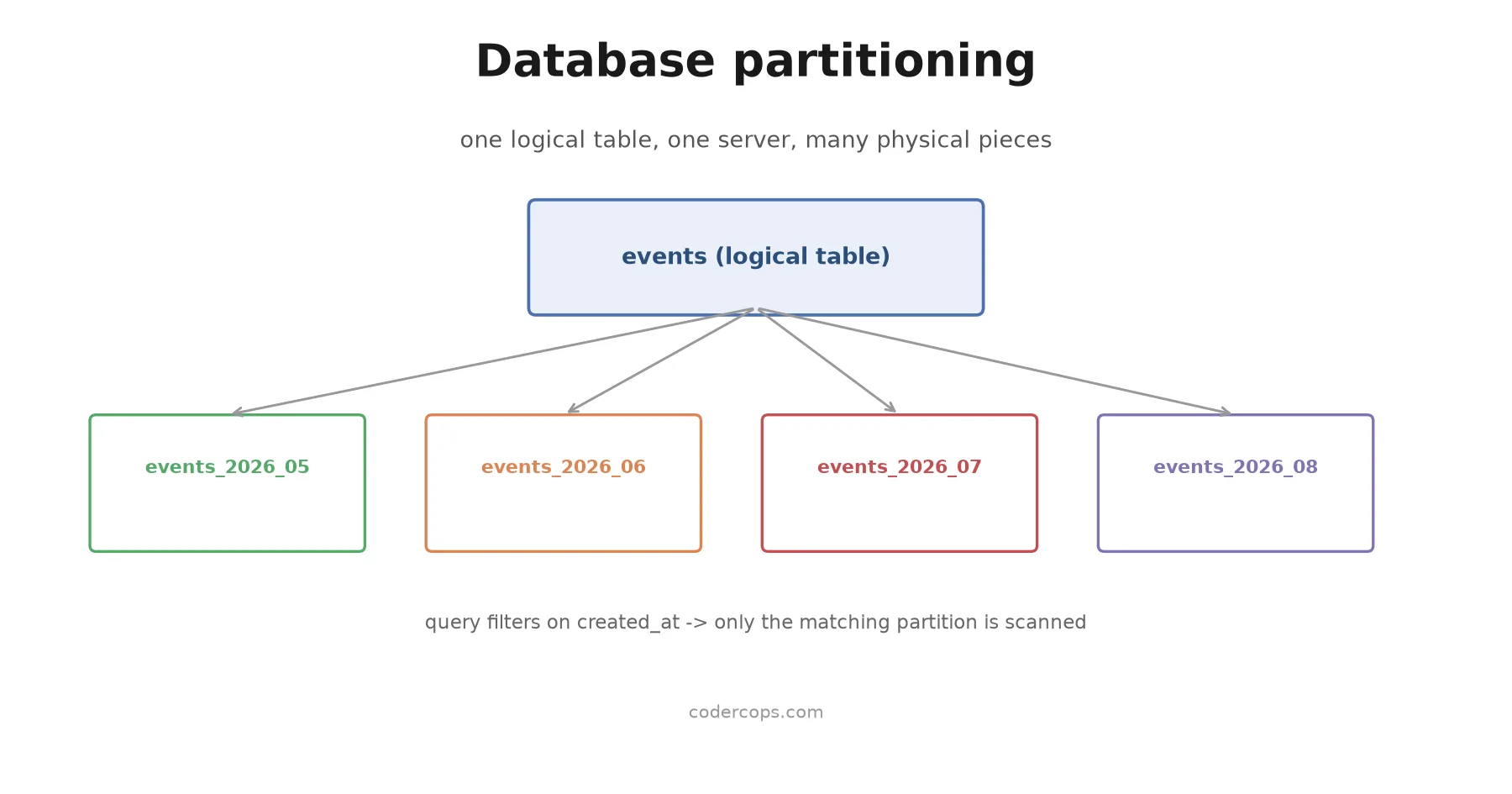
A partitioned table is a logical table that’s physically stored as several smaller tables, each holding a subset of the rows, based on a rule you define. Your application still queries the logical table by name. The database engine figures out which underlying partition (or partitions) actually need to be touched.
-- PostgreSQL: range partitioning an events table by month
CREATE TABLE events (
    id BIGINT GENERATED ALWAYS AS IDENTITY,
    tenant_id INT NOT NULL,
    event_type TEXT NOT NULL,
    payload JSONB,
    created_at TIMESTAMPTZ NOT NULL
) PARTITION BY RANGE (created_at);

CREATE TABLE events_2026_06 PARTITION OF events
    FOR VALUES FROM ('2026-06-01') TO ('2026-07-01');

CREATE TABLE events_2026_07 PARTITION OF events
    FOR VALUES FROM ('2026-07-01') TO ('2026-08-01');
A query like SELECT * FROM events WHERE created_at >= '2026-07-01' only touches events_2026_07. The planner knows the other partitions can’t contain matching rows and skips them entirely. This is called partition pruning, and it’s the entire performance case for partitioning: smaller pieces to scan, smaller indexes to maintain per piece, and index maintenance that runs against a fraction of the total data at a time.
The three strategies
Range partitioning splits data by a continuous range: dates, numeric IDs, timestamps. This is the most common pattern for time-series and event data, log tables, and anything where “recent” and “old” naturally divide the data. The monthly events table above is range partitioning.
List partitioning splits data by discrete category values you specify explicitly: region codes, account tiers, status values. Use this when your natural query filter is a small, known set of categories rather than a continuous range.
CREATE TABLE orders (
    id BIGINT GENERATED ALWAYS AS IDENTITY,
    region TEXT NOT NULL,
    total NUMERIC NOT NULL
) PARTITION BY LIST (region);

CREATE TABLE orders_na PARTITION OF orders FOR VALUES IN ('US', 'CA', 'MX');
CREATE TABLE orders_eu PARTITION OF orders FOR VALUES IN ('DE', 'FR', 'UK');
Hash partitioning splits data by the hash of a column value, distributing rows roughly evenly across a fixed number of partitions with no natural range or category to key on. Use this when you need to spread write and maintenance load evenly and your access pattern doesn’t cluster around a specific range, for example a high-cardinality user_id where you mainly need even distribution rather than range-based pruning.
CREATE TABLE user_sessions (
    id BIGINT GENERATED ALWAYS AS IDENTITY,
    user_id BIGINT NOT NULL,
    session_data JSONB
) PARTITION BY HASH (user_id);

CREATE TABLE user_sessions_0 PARTITION OF user_sessions
    FOR VALUES WITH (MODULUS 4, REMAINDER 0);
CREATE TABLE user_sessions_1 PARTITION OF user_sessions
    FOR VALUES WITH (MODULUS 4, REMAINDER 1);
-- ... REMAINDER 2, 3
The win most teams underestimate: deletion
Query speed is the headline benefit people reach for, but the most consistently valuable win in production is bulk deletion. Deleting a year of old event data from an unpartitioned table means a DELETE statement that scans matching rows, generates write-ahead log entries for every deleted row, and leaves a table that needs a vacuum pass to reclaim space. On a large table this can run for hours and generate significant replication lag.
With range partitioning by date, “delete last year’s data” becomes DROP TABLE events_2025_06 (or DETACH PARTITION if you want to archive it first instead of deleting it outright). This is a metadata operation. It’s close to instant regardless of how many rows the partition held, because the database isn’t scanning or logging individual row deletions, it’s removing a table. If your team is running a scheduled job that deletes old rows from a large table on any kind of recurring basis, that’s usually the strongest signal that table is a partitioning candidate.
Where partitioning stops helping
Partition pruning only works when your query includes the partition key in its filter. A query against the monthly-partitioned events table that doesn’t filter on created_at (say, SELECT * FROM events WHERE tenant_id = 42) has to check every partition, because the planner has no way to know which months contain that tenant’s rows. In that scenario, partitioning has added overhead (more relations to plan against, more index structures) without the pruning benefit, and a single well-indexed table might outperform it.
This means the decision to partition has to start from your actual query patterns, not from table size alone. If the majority of your production queries naturally filter by the value you’d partition on, partitioning is very likely a net win. If your queries filter on unrelated columns most of the time, look at indexing that column properly first; partitioning won’t fix a missing-index problem, and it can make an already-inconsistent access pattern harder to reason about.
Migrating an existing large table into a partitioned one also isn’t a quick ALTER TABLE. In PostgreSQL, the standard path is creating a new partitioned table, backfilling it in batches to avoid long locks, and cutting over, or using logical replication for a near-zero-downtime swap. Budget it as its own project. Make sure the partition key also appears in your indexes, since a per-partition index only helps queries that can use it.
Partitioning first, sharding only when you actually need it
The practical guidance: partitioning solves problems that live entirely within one server’s capacity, table maintenance time, deletion cost, and per-query scan size. It doesn’t require a routing layer, doesn’t change how your application connects to the database, and doesn’t introduce cross-node consistency questions. Reach for it before you reach for sharding.
Sharding is the right tool when a single server genuinely can’t hold your data or serve your write volume anymore, and that’s a materially bigger operational commitment: your application or a proxy layer needs to know which shard owns which data, cross-shard queries and transactions become hard problems, and resharding when a shard gets too big is nontrivial. Our guide to database sharding strategies covers that territory in depth, including range, hash, and directory-based approaches, for when partitioning genuinely isn’t enough.
Most teams that think they need sharding actually have a partitioning-shaped problem: one table has grown unwieldy, or a recurring bulk-delete job is eating maintenance windows. Check whether partition pruning and fast partition drops solve it before you take on the complexity of a distributed data layer.
Frequently asked questions
- What's the difference between database partitioning and sharding?
- Partitioning splits a table into smaller pieces that still live on one database server; the database engine handles routing queries to the right piece transparently. Sharding splits data across multiple separate database servers, which usually means the application or a routing layer has to know which server holds which data. Partitioning is a single-server technique; sharding is a distributed-systems technique.
- When should I partition a table?
- Consider it when a single table has grown large enough that index maintenance, vacuuming, or backups are taking noticeably longer, when you regularly delete large chunks of old data (like log or event tables), or when most of your queries naturally filter by a value you could partition on, like a date range or a tenant ID.
- Does partitioning make queries faster?
- Only for queries that filter on the partition key, through partition pruning, where the database skips partitions it knows can't match. Queries that don't filter on the partition key have to scan every partition, which can be slower than a single well-indexed table. Partitioning is not a general performance fix; it's a targeted one.
- Can I add partitioning to an existing large table without downtime?
- Not by altering the table in place. In PostgreSQL, the standard approach is to create a new partitioned table, backfill data in batches, and then swap it in for the old table, or use logical replication to do the cutover with minimal downtime. Plan this as its own migration project, not a quick schema change.
Sources
Sponsored
More from this category
More from Cloud & Infrastructure



Sponsored
Discussion
Join the conversation.
Comments are powered by GitHub Discussions. Sign in with your GitHub account to leave a comment.
Sponsored