Business · Hiring
How to Hire a Shopify Developer: Liquid or Apps
Shopify hiring split into two jobs, theme customization and app or headless work, that share a platform and little else. How to tell which one you need.

Anurag Verma
6 min read
Sponsored
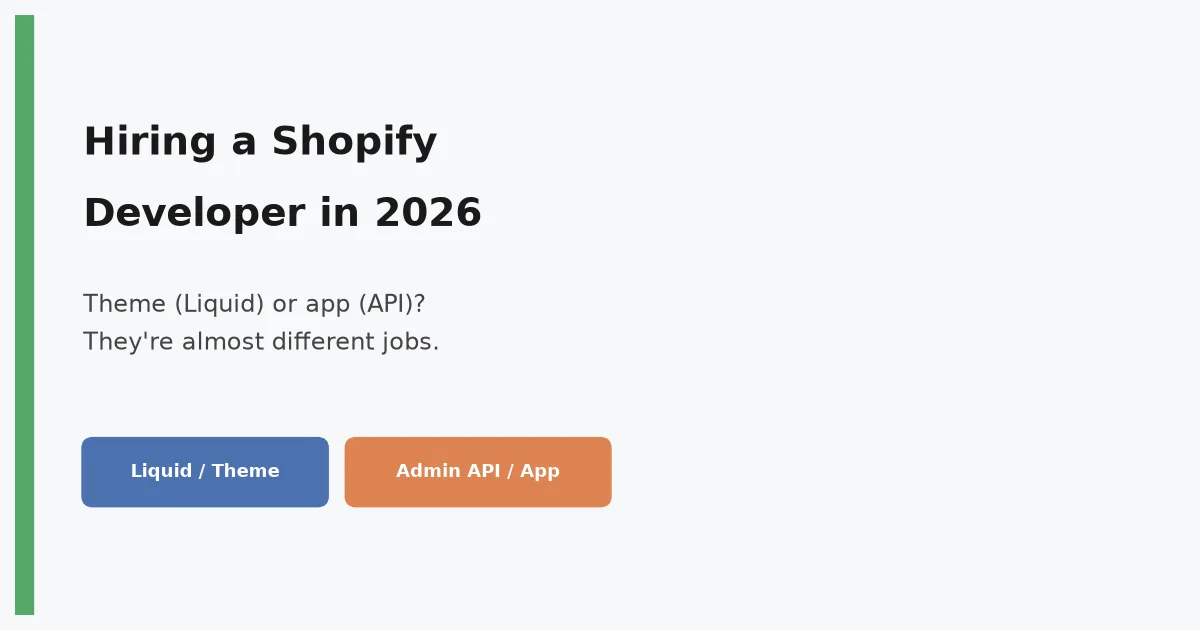
Post a generic “Shopify Developer” job and you’ll get two very different kinds of applicants: people who live in Liquid and the theme customizer, and people who build apps against Shopify’s Admin API and barely touch a storefront template. Both call themselves Shopify developers. Neither is wrong to. But hiring the first when you need the second wastes a search, and it happens constantly because the job title doesn’t distinguish the two roles the way “frontend” and “backend” do elsewhere.
Two jobs, one platform
Theme and storefront development. This is Liquid, Shopify’s templating language, plus the theme’s JSON section and block structure, plus a working understanding of how the online store customizer lets merchants rearrange things without breaking. The work is largely frontend: HTML, CSS, some JavaScript for interactivity, and increasingly Core Web Vitals discipline, since Shopify’s own theme store scores stores on speed and merchants notice conversion drops from a slow product page. Someone strong here can take a Dawn-based or third-party theme and shape it into a fast, on-brand storefront without touching a backend API.
App and integration development. This is a different job entirely: OAuth to install into a merchant’s store, the GraphQL Admin API for reading and writing store data, webhooks for reacting to orders and inventory changes, and increasingly Shopify Functions for logic that needs to run inside checkout itself. This work looks a lot more like general backend API development, with Shopify-specific knowledge of rate limits, API versioning, and the platform’s event model layered on top.
A candidate can be excellent at one and genuinely weak at the other. That’s not a red flag, it’s the honest shape of the ecosystem, and it’s why the first question in scoping a Shopify hire is which job you actually have.
What to screen for on the theme side
A real modification task, not a syntax quiz. Hand over a small, realistic change: add a new section to a product page that shows a countdown timer, or restructure how a collection page’s filters work. Watch how they approach the theme’s existing sections and blocks rather than bolting on custom code that ignores the structure already there. Liquid syntax itself is simple enough that testing it directly tells you little; testing whether someone respects and extends an existing theme’s architecture tells you a lot.
Speed instincts. Ask what they’d check first if a merchant complained a product page felt slow. A strong answer mentions app script bloat (third-party apps injecting scripts is the single most common cause of slow Shopify stores), image sizing and lazy loading, and the theme’s own render-blocking resources, in roughly that order of likely culprit. A weak answer jumps straight to code minification, which is rarely where the actual problem lives.
Merchant-facing thinking. A theme is used by two audiences: shoppers and the merchant editing it in the customizer. Ask how they’d expose a new feature as editable settings versus hardcoding it. Someone who’s shipped real Shopify themes will bring this up unprompted; it’s the difference between a theme a merchant can actually maintain and one that breaks the moment they touch it.
What to screen for on the app side
Rate limits and idempotency, specifically. Ask how they’d handle a webhook that might be delivered more than once, Shopify’s own documentation is explicit that webhooks aren’t guaranteed exactly-once. A candidate who’s shipped a production Shopify app will talk about idempotency keys or checking whether an operation already happened before retrying it. Someone who hasn’t will assume delivery is clean and reliable, which works in a demo and breaks under real order volume.
API versioning discipline. Shopify deprecates API versions on a fixed quarterly schedule and expects apps to migrate. Ask how they’d structure an app to survive a version bump without a scramble. This is a small, specific question, but the answer reliably separates people who’ve maintained a live Shopify app through a few deprecation cycles from people who built one once and never had to update it.
GraphQL over REST, and why. Shopify has been steering its Admin API toward GraphQL for years, with REST increasingly the legacy path. A candidate who defaults to REST without a clear reason, and can’t speak to GraphQL’s query cost model (Shopify’s API rate-limits by query complexity, not just request count), is probably working from older material.
Where Shopify Plus and headless change the calculus
If your client’s store is on Shopify Plus and the project needs checkout customization, that’s Shopify Functions territory: logic compiled to WebAssembly, commonly written in Rust, running inside Shopify’s own checkout process rather than around it via redirect scripts. This is a narrower, more specialized skill than either theme or general app work, and it’s worth naming explicitly in the job post rather than assuming a strong app developer will already know it.
Headless is its own fork too. If the project is a custom storefront built with Hydrogen and deployed on Oxygen, or another framework against the Storefront API, that’s closer to hiring a React or full-stack developer who also understands Shopify’s data model than it is to hiring a theme developer. Confirm the project is actually headless, not just “wants a custom look”, before searching for this specifically. Plenty of stores that think they need headless get most of the same outcome from a well-built custom theme at a fraction of the cost and complexity, a tradeoff worth working through with what it actually costs to hire a developer for each path before committing to a search.
Portfolio checks that actually work here
Shopify’s ecosystem makes this easier than most stacks: ask for a live store URL for theme work, or a public app listing (or a private app’s install flow, walked through live) for app work. “I can’t show you anything, it’s all under NDA” is a weaker excuse in Shopify hiring than it is in, say, enterprise backend work, because merchant stores are public by nature and app listings are too. A candidate with real Shopify experience almost always has something they can point to.
The one thing to take away
Decide which job you’re hiring for before you write the post: theme and storefront, or app and integration. Screen theme candidates with a real modification task and questions about speed and merchant editability. Screen app candidates on rate limits, webhook idempotency, and version migration specifically. Layer in Plus or headless only when the project genuinely needs it. Get the job definition right first, and the rest of the Shopify search looks like any other specialized hire, per the general playbook in how to hire a vetted software developer.
Frequently asked questions
- What's the difference between a Shopify theme developer and a Shopify app developer?
- A theme developer customizes how a store looks and behaves for shoppers, working in Liquid (Shopify's templating language), the theme's JSON structure, and increasingly the online store's built-in customizer. An app developer builds functionality that extends Shopify itself, inventory sync, subscriptions, custom checkout logic, usually as a standalone app that talks to Shopify's Admin API or GraphQL API and gets installed into merchant stores. A theme developer rarely touches OAuth or webhooks; an app developer rarely touches Liquid. Confirm which one your project actually needs before you write the job post.
- Is Shopify Liquid hard to hire for?
- The syntax itself is simple enough to pick up in days, it's a constrained templating language on purpose. What's hard to hire for is theme architecture: understanding how sections, blocks, and settings compose into a maintainable, merchant-editable theme without breaking the customizer or tanking page speed. That's a smaller, more specialized skill than the syntax alone suggests, and it's what actually separates a strong theme developer from someone who can copy-paste from Shopify's documentation.
- Do I need someone who knows Hydrogen and headless Shopify?
- Only if the project is actually headless, a custom storefront built with Hydrogen (Shopify's React framework) and deployed on Oxygen, or another framework consuming the Storefront API. Most Shopify stores, including a lot of high-revenue ones, run perfectly well on a customized theme and don't need headless architecture's added complexity. Headless buys you more control over the frontend at the cost of losing a lot of what the theme ecosystem gives you for free, and it's worth confirming that tradeoff is actually needed before hiring for it specifically.
- What does a Shopify Plus specialist do that a regular Shopify developer doesn't?
- Shopify Plus unlocks checkout customization through Shopify Functions, custom logic written in a supported language (commonly Rust or JavaScript/AssemblyScript) and compiled to WebAssembly, which runs inside Shopify's checkout rather than around it. It also unlocks scripts for older stores still on the legacy checkout, multi-store management, and higher API rate limits. This is a genuinely specialized skill set on top of general Shopify development, and it's only relevant if your client's store is actually on the Plus plan with a checkout customization need. Screening for it on a standard Shopify store is testing for a skill the job doesn't use.
Sources
Sponsored
Sponsored
Discussion
Join the conversation.
Comments are powered by GitHub Discussions. Sign in with your GitHub account to leave a comment.
Sponsored