AI Integration · Agentic AI
AI Browser Agents: Comet, Atlas, and Copilot
Operator, Comet, Claude in Chrome, Copilot Studio Computer Use, and Browser Use all automate the browser differently. A field guide to picking one.

Prathviraj Singh
5 min read
Sponsored
“AI browser agent” has become a category with five or six genuinely different products under it, and they don’t do the same job. Some are entire browsers built around an assistant. Some are extensions bolted onto Chrome. One is an enterprise workflow platform feature with governance controls the others don’t have. If you’re deciding whether to use one, or which one, the differences matter more than the shared marketing language suggests.
The two shapes this category takes
The clearest split isn’t by vendor, it’s by architecture. Perplexity Comet and ChatGPT Atlas are standalone, AI-native browsers: the agent is the primary interface, and you browse through it rather than adding it to an existing tool. Comet has been free since March 2026, with a paid Comet Max tier for heavier use. Atlas launched with a freemium structure: free tier, Plus at $20/month, Pro at $200/month, and a Business plan at $24 per user per month, with Agent Mode unlocked starting at the Plus tier.
The other shape bolts automation onto a tool you already use. Claude in Chrome is a browser extension, available on Anthropic’s paid Claude plans starting at Pro ($20/month), that gives Claude direct control over your existing Chrome session rather than asking you to switch browsers. As of July 2026, the related Claude Cowork product also runs sessions remotely on Anthropic’s servers, extending the same agent capability to web and mobile. Microsoft’s Copilot Studio Computer Use, generally available since May 13, 2026, takes this further into enterprise territory: it’s a feature inside a workflow automation platform, priced through Copilot Studio’s credit-based system, built specifically for regulated environments.
What happened to Google’s entry
If you were tracking Google’s Project Mariner, the short version is that it doesn’t exist as a standalone product anymore. Google shut it down on May 4, 2026, after about 17 months of development, and folded the underlying technology into two places: Gemini Agent, the task-automation layer inside Google’s main assistant, and Chrome’s Auto Browse feature, which handles multi-step web navigation directly inside the browser you’re probably already using. That’s worth knowing before you go looking for a Mariner sign-up page that no longer exists.
What the benchmarks actually say
Two numbers are worth anchoring to, and it’s worth being honest that they’re not directly comparable to each other since they measure different things.
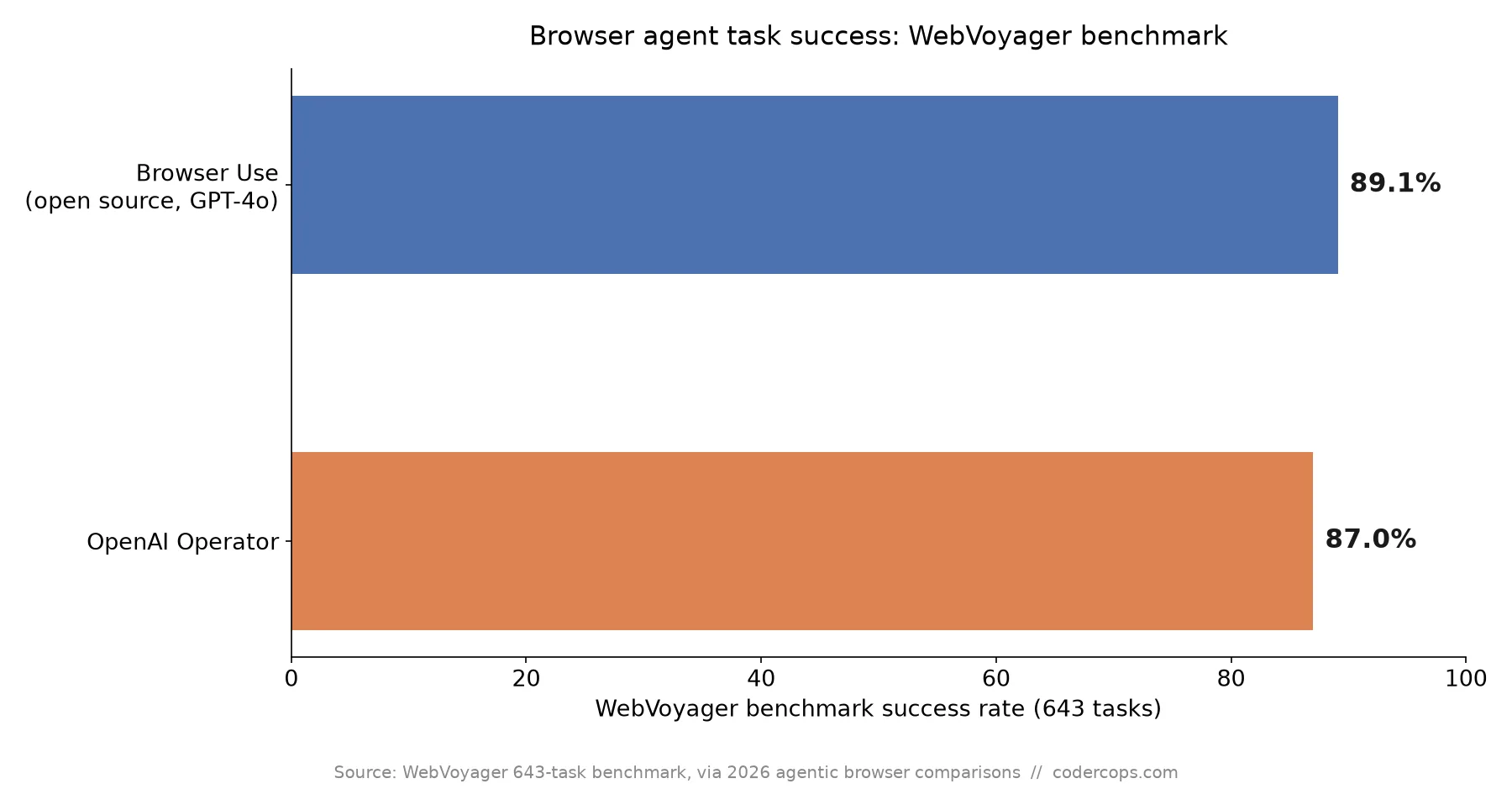
On WebVoyager, a 643-task benchmark of real-world browsing tasks, the open-source Browser Use project running on GPT-4o hit 89.1% success, edging out OpenAI’s own Operator at 87%. That’s a genuinely notable result: an open-source tool built on a general-purpose model outperforming a purpose-built commercial agent on the same benchmark, which says more about how much of browser-agent performance comes from orchestration and tool design than from the underlying model alone.
Separately, Claude Sonnet 4.6 reached 72.5% on OSWorld in February 2026, a benchmark that tests broader OS-level task completion rather than pure web browsing, and that score has been described as roughly matching average human performance on that specific benchmark. It’s a different task category, so don’t read it as “worse than Browser Use,” it’s answering a different question about what the agent can do beyond the browser tab itself.
Choosing one, practically
| Agent | Vendor | Shape | Starting price | Where it’s strong |
|---|---|---|---|---|
| ChatGPT Atlas / Agent Mode | OpenAI | Standalone browser | Free tier; Agent Mode from $20/mo | Broad task coverage, tight ChatGPT integration |
| Perplexity Comet | Perplexity | Standalone browser | Free since March 2026 | Search-native workflows |
| Claude in Chrome / Cowork | Anthropic | Browser extension + remote agent | From $20/mo (Claude Pro) | Existing Chrome workflows, cross-device via Cowork |
| Gemini Agent / Chrome Auto Browse | Built into Chrome and Gemini | Included with Google AI plans | Native Chrome integration (successor to Project Mariner) | |
| Copilot Studio Computer Use | Microsoft | Enterprise workflow platform | Credit-based, from ~$200/mo | Governance: DLP, audit trails, human-in-the-loop |
| Browser Use | Open source | Self-hosted framework | Free (self-hosted) | Highest measured WebVoyager score (89.1% on GPT-4o) |
For a small team automating a handful of repetitive browser tasks, an extension you already have access to through an existing subscription is the lowest-friction start. For anything touching client data, financial systems, or regulated workflows, weight governance over raw benchmark score, which is why Microsoft’s enterprise-focused offering is worth the evaluation even if it’s not the top scorer on any public leaderboard. And for teams comfortable building their own guardrails, the open-source option currently posts the best measured result on a real benchmark, at zero licensing cost.
None of these tools are at the point where “fully autonomous, no supervision” is a safe default. If you’re integrating one into a client-facing product rather than using it as an internal productivity tool, that’s a meaningful build decision worth scoping carefully rather than bolting on as an afterthought, the same way we’d approach any AI agent orchestration work: start supervised, expand autonomy only where the failure cost is genuinely low.
Frequently asked questions
- Are AI browser agents actually reliable enough for production use?
- It depends heavily on the task. On the WebVoyager benchmark, the best-performing option, open-source Browser Use on GPT-4o, still fails roughly 1 in 9 tasks. That's usable for supervised workflows where a human reviews output, and risky for anything unsupervised and consequential, like submitting payments or modifying account settings without a review step. Treat current browser agents as capable assistants that need a human in the loop for anything with real-world stakes, not as autonomous replacements for a person.
- What happened to Google's Project Mariner?
- Google shut it down as a standalone product on May 4, 2026, after roughly 17 months of development. The underlying technology wasn't discarded, it was folded into Gemini Agent, the task-automation layer inside Google's Gemini assistant, and into Chrome's Auto Browse feature, which lets the browser navigate multi-step web flows without a dedicated separate app. If you were evaluating Mariner specifically, the current equivalent is Gemini Agent or Chrome's built-in Auto Browse, not a standalone product.
- What's the real difference between an AI-native browser and an agent bolted onto an existing tool?
- An AI-native browser like Perplexity Comet or ChatGPT Atlas is built around the agent as the primary interface, you browse through the assistant. An agent feature like Claude in Chrome or Microsoft Copilot Studio Computer Use adds automation to a tool you already use for other reasons, a browser extension or an enterprise workflow platform. The practical tradeoff is adoption friction versus integration depth: a new browser asks users to switch their daily tool, while an extension or platform feature meets people where they already work but is more constrained by that host environment's limits.
- Which one should an enterprise actually pick?
- If governance, audit trails, and human-in-the-loop approval matter more than raw task success rate, Microsoft Copilot Studio Computer Use is currently the only option built with that natively, generally available since May 13, 2026. If raw capability on open-web tasks matters more and you can build your own guardrails, the open-source Browser Use scored highest on the WebVoyager benchmark. Most enterprise evaluations should weight governance heavily, since the cost of an ungoverned agent taking a wrong action on a real account tends to outweigh a few percentage points of benchmark performance.
Sources
- Androidheadlines: Project Mariner is Over, Google Folds its AI Web Agent into Gemini & Chrome
- Simon Willison / aggregated 2026 coverage: WebVoyager and OSWorld benchmark comparisons for browser agents
- Claude Help Center: Get started with Claude in Chrome
- Microsoft: Copilot Studio pricing and licensing
Sponsored
More from this category
More from AI Integration



Sponsored
Discussion
Join the conversation.
Comments are powered by GitHub Discussions. Sign in with your GitHub account to leave a comment.
Sponsored