Web Development · CSS
CSS if(): Conditional Logic Without JavaScript
The CSS if() function lets a single property branch on media, container, or feature conditions. What it does, the syntax, and where it still can't replace JS.

Abhishek Gupta
6 min read
Sponsored
CSS has had conditional logic for years, @media, @supports, @container, but always at the level of an entire rule block. Want one property to be a different value on mobile, you write the whole selector again inside a media query. The if() function collapses that down to the property itself: pick a value based on a condition, right where the property is declared, no duplicated selector required.
What it actually looks like
.card {
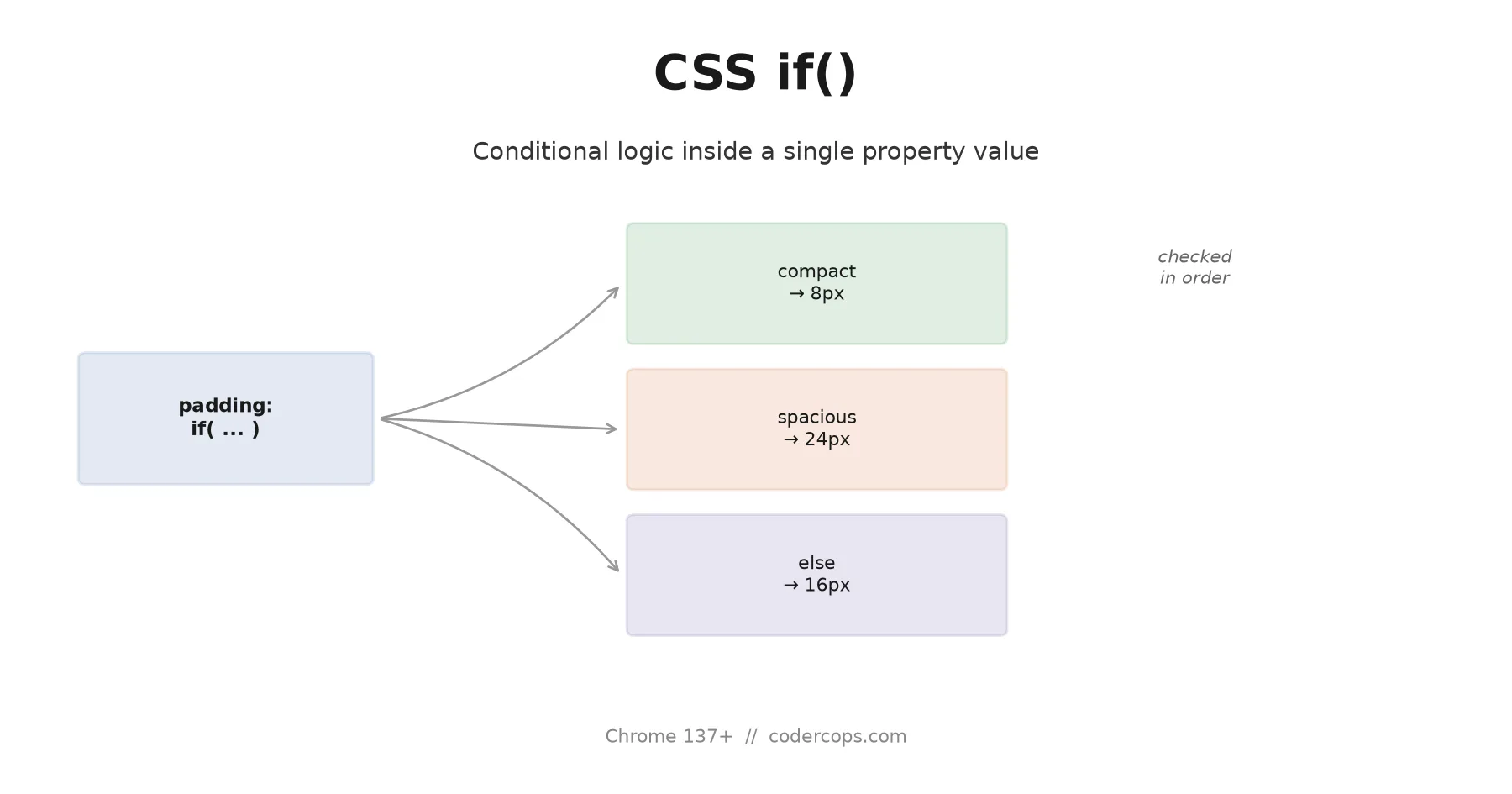
  padding: if(
    style(--density: compact): 8px;
    style(--density: spacious): 24px;
    else: 16px
  );
}
One property, three possible values, decided by a custom-property-based style query on the element or its ancestors. Set --density: compact somewhere up the tree and every card under it gets 8px padding, no override rule, no second selector, no !important fight. Conditions are checked top to bottom and the first match wins, same evaluation order as an if/else chain in any language with one.
The conditions aren’t limited to style queries. Media and feature queries work the same way inside if():
.hero-heading {
  font-size: if(
    media(width >= 1200px): 3.5rem;
    media(width >= 768px): 2.5rem;
    else: 1.75rem
  );
}
That’s a responsive font size in one declaration, where the equivalent today is three separate rule blocks at three breakpoints, each re-declaring .hero-heading just to change one number.
Where it actually saves something
The honest case for if() isn’t “it does something CSS couldn’t do before.” Everything above was achievable with media queries and container queries already. The case is duplication. A single property that needs to vary by three conditions currently means three rule blocks, each restating the selector and every unrelated property inside it just to change the one value that actually differs. if() isolates the part that varies and leaves everything else written once.
That matters more as a stylesheet’s condition count grows. A card component with padding, gap, and border-radius that all need to shift together at a breakpoint is still better served by a full @container block, you want those three properties to change as a unit, and a block makes that grouping visible. A single property that varies independently of everything else around it, font-size, a color, an icon size, is where if() earns its keep. Use the right tool for which shape the variation actually has, not if() everywhere by default.
The catch: it’s Chromium-only today
if() shipped in Chrome 137 and carries over to Edge and Opera through the shared engine. Firefox has implementation work underway but nothing shipped as of this writing. Safari has it on a public roadmap for 2026-2027, which in practice means “no committed date.” If your traffic includes a meaningful share of Firefox or Safari, and most sites’ does, if() alone is not currently a complete solution for anything a user needs to see correctly.
A theme-toggle example worth actually building
The clearest real case for if() today is a dark-mode toggle driven by a custom property rather than the prefers-color-scheme media feature, the setup most sites need once they add a manual light/dark switch on top of the OS preference:
:root {
  --theme: light;
}
:root[data-theme="dark"] {
  --theme: dark;
}

.card {
  background: if(
    style(--theme: dark): #1a1a1a;
    else: #ffffff
  );
  color: if(
    style(--theme: dark): #f0f0f0;
    else: #1a1a1a
  );
  border-color: if(
    style(--theme: dark): #333333;
    else: #e2e2e2
  );
}
Three properties, three conditions, and the branching logic sits directly on the property it affects instead of living in a separate [data-theme="dark"] .card { ... } override block written somewhere else in the stylesheet. That separation, the base rule in one place and the dark-mode override in another, is exactly the kind of split that makes a theme system hard to audit six months later: change a value in one place and forget the corresponding override exists in the other. if() keeps both branches of the same decision next to each other, which is a real maintainability win independent of how many characters it saves.
The fix is the same discipline @supports has always required: write the fallback first, then layer the enhancement on top.
.card {
  /* Fallback: works everywhere */
  padding: 16px;
}

@supports (padding: if(style(--x: 1): 1px; else: 2px)) {
  .card {
    padding: if(
      style(--density: compact): 8px;
      style(--density: spacious): 24px;
      else: 16px
    );
  }
}
Browsers that understand if() get the compact syntax; everyone else keeps the plain fallback value, and nothing breaks in either direction. That @supports test string looks awkward because you’re feature-testing a function, not a property, and the syntax for that is new enough that most teams haven’t built muscle memory for it yet. Expect that to smooth out over the next year as tooling and linters catch up.
What it still isn’t
if() is not a JavaScript replacement, and treating it like one is the mistake worth naming explicitly. It can branch on things CSS already knows: the viewport, a container’s size or style, whether a feature is supported, a limited set of interaction pseudo-classes. It cannot read a fetch response, a Redux store, form validation logic beyond what :user-invalid and friends already expose, or any state your application computed at runtime and didn’t already surface to CSS through a custom property or a class. If your “conditional styling” depends on data that lives in JavaScript, you still write JavaScript that sets a custom property or toggles a class, and if() reads the result. It shortens the CSS side of that pattern. It doesn’t remove the JavaScript side.
It also isn’t a reason to abandon @container or @media blocks wholesale. Grouped, multi-property changes are still clearer as a block; if() is for the property-level cases that were previously forcing you into a full block just to vary one value. Reach for whichever shape actually matches what’s changing, and for the wider set of what shipped, and what didn’t, in CSS this year, our state of CSS in 2026 roundup has the fuller picture. If you’re weighing which of the newer conditional and container-based CSS features are worth adopting on a production site right now, our frontend team can help you make that call where browser support actually matters to the business, not just the demo.
Frequently asked questions
- What is the CSS if() function?
- It's a CSS function that lets one property value branch on a condition, evaluated in order, similar to an if/else chain in a programming language. The syntax is property: if(condition-1: value-1; condition-2: value-2; else: default-value), and the conditions can be style queries, media queries, or feature (@supports-style) queries.
- Which browsers support CSS if() right now?
- Chrome 137 and later, plus Edge and Opera since they share Chrome's rendering engine. Firefox has it in progress but not shipped as of September 2026, and Safari has it listed on its roadmap for 2026-2027 without a shipped version yet. Treat this as a Chromium-first feature today, not something safe to rely on alone.
- How is if() different from a media query or @container query?
- A media or container query wraps an entire rule block and applies it conditionally; you write the selector and every property inside the block again for each breakpoint. if() works inside a single property's value, so you can branch just that one value without duplicating the rest of the rule. For a whole block of properties changing together, @container or @media is usually still the clearer tool. For one property picking between two or three values, if() cuts the duplication.
- Can if() replace JavaScript for conditional styling?
- Only for the subset of conditions CSS already has access to: media features, container size or style, and feature support. It can't read arbitrary JavaScript state, form validation results beyond what :user-invalid and similar pseudo-classes expose, or data fetched at runtime. For those, you still need JavaScript to set a class, custom property, or inline style that CSS then reads.
- Should I use if() in production today?
- Only behind an @supports guard, with your existing solution as the fallback, unless your project is genuinely Chromium-only (an internal tool, an Electron app, a Chrome extension). For anything shipping to the open web, if() is a progressive enhancement in September 2026, not a replacement for your current approach.
Sources
Sponsored
More from this category
More from Web Development



Sponsored
Discussion
Join the conversation.
Comments are powered by GitHub Discussions. Sign in with your GitHub account to leave a comment.
Sponsored