Cloud & Infrastructure · Deployment
Graceful Shutdown in Containers: SIGTERM, Draining, and the Errors Nobody Debugs
Every rolling deploy drops a few requests, and most teams never find out because the errors look like client noise. Here is the shutdown sequence, the race that causes it, and the code that fixes it.

Abhishek Gupta
7 min read
Sponsored
The error budget gets eaten during deploys and nobody notices, because a handful of 502s spread across a rolling update looks exactly like client-side noise. It is not noise. It is a race between two things Kubernetes does at the same moment, and the fix is about six lines of YAML plus a shutdown handler that actually finishes.
Here is the sequence, the race inside it, and what each layer needs to do.
What actually happens when a pod terminates
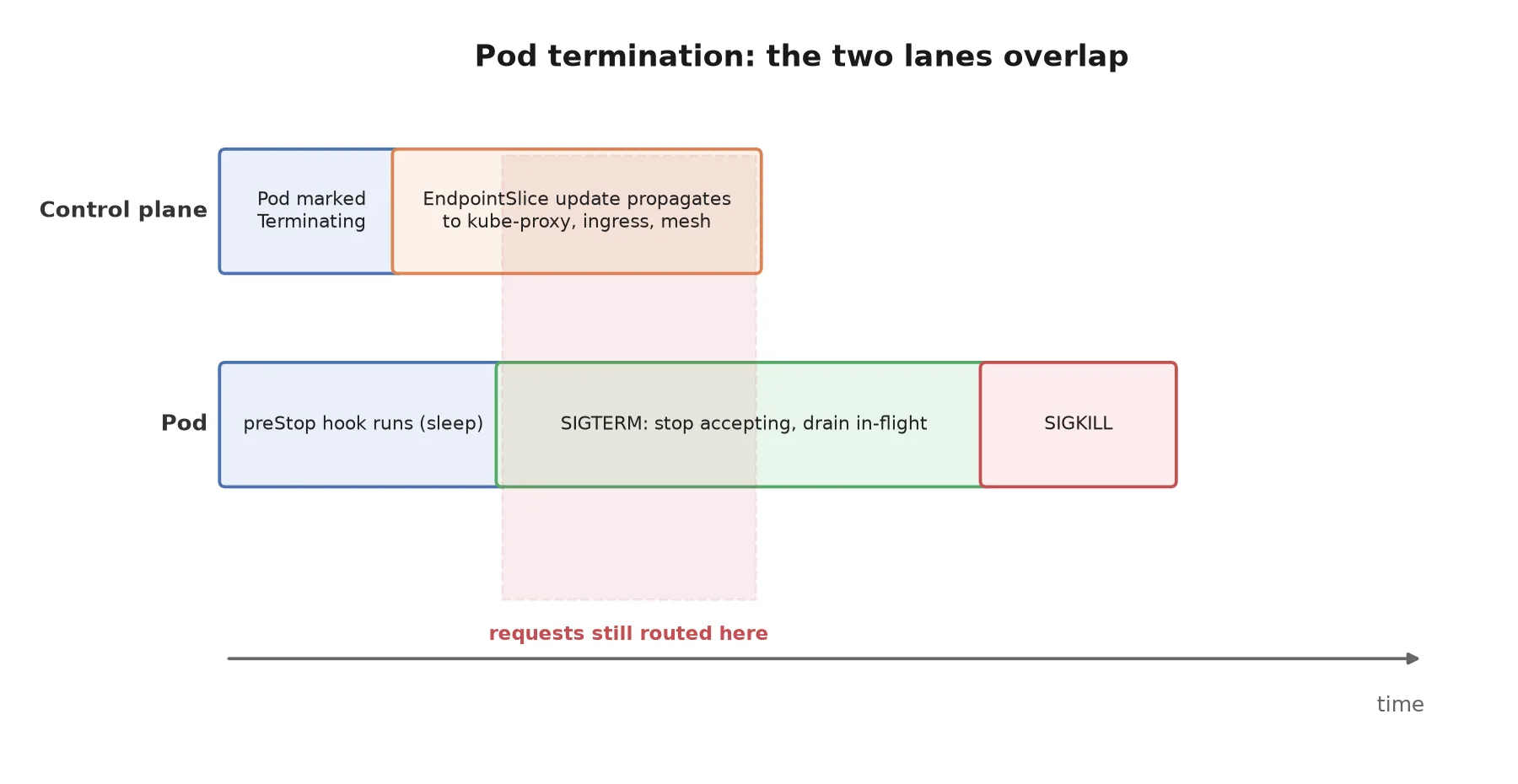
You delete a pod, or a rolling update replaces it. Kubernetes then does several things, and the order matters less than the concurrency.
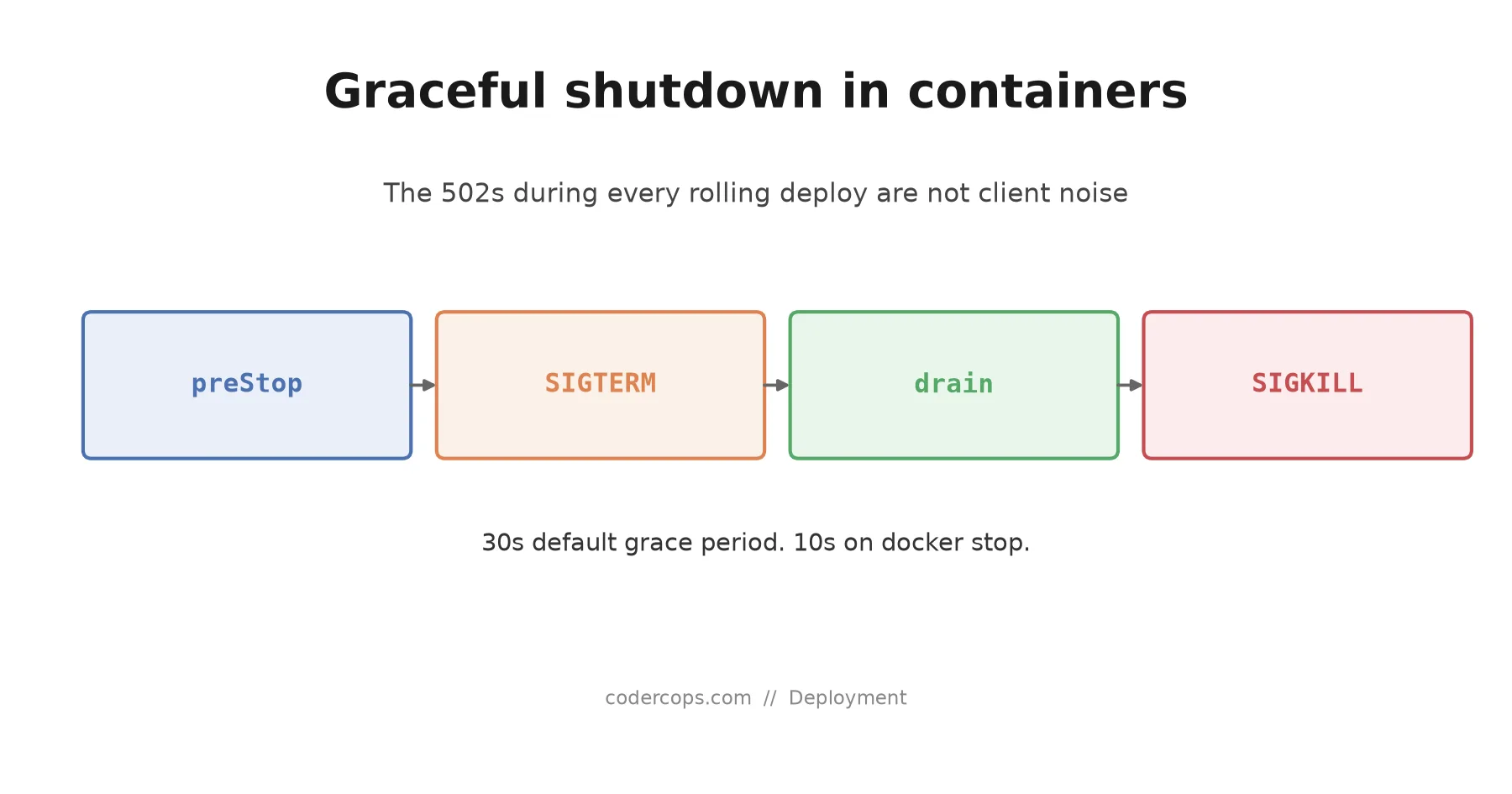
The pod is marked Terminating. The control plane removes it from the Service’s EndpointSlice. The kubelet runs any preStop hook. When that returns, the kubelet sends SIGTERM to PID 1 in each container. After terminationGracePeriodSeconds, anything still running gets SIGKILL.
The trap is that endpoint removal and SIGTERM are not sequenced against each other. Endpoint removal has to reach every kube-proxy, every ingress controller, and every sidecar proxy in the mesh. That propagation is eventually consistent and takes real time, often a second or more on a busy cluster. Signal delivery to a local process takes microseconds.
So for a window measured in seconds, some proxy still believes your pod is a valid backend and keeps routing to it, while your process has already begun shutting down. Every request in that window is a 502 waiting to happen.
The fix, in three layers
Each layer covers a different part of the problem, and skipping any one of them leaves a hole.
Layer one: delay SIGTERM until routing has caught up. This is what preStop is for. Its only job is to burn a few seconds so endpoint removal can propagate before your process is told anything.
spec:
  terminationGracePeriodSeconds: 45
  containers:
    - name: api
      lifecycle:
        preStop:
          exec:
            command: ["/bin/sh", "-c", "sleep 8"]
Eight seconds is a starting point, not a law. Measure how long endpoint changes take to reach your ingress under load and set it above that. Note that the preStop duration is counted inside the grace period, not added to it, so a 45 second grace period with an 8 second preStop leaves 37 seconds for actual draining.
A sleep in a lifecycle hook looks crude, and it is. It is also the mechanism the platform gives you, and every attempt I have seen to replace it with something cleverer has been more fragile.
Layer two: make sure the signal arrives. This one catches teams by surprise because the symptom is silence. Your handler is correct, your logs show nothing, and the container dies at exactly the grace period every time.
# Broken. The shell is PID 1 and does not forward SIGTERM.
ENTRYPOINT node server.js

# Correct. node is PID 1 and receives the signal directly.
ENTRYPOINT ["node", "server.js"]
Shell-form ENTRYPOINT wraps your command in /bin/sh -c. The shell becomes PID 1, receives SIGTERM, and does not pass it on. If you genuinely need a shell wrapper, exec into your process so it replaces the shell, or use a small init like tini which forwards signals and reaps zombie children.
If your container dies precisely at the grace period boundary every single time, check this before anything else.
Layer three: actually drain. Stop accepting new work, finish what is in flight, close everything else, exit. In Node.js this is where a specific and non-obvious detail bites.
const server = app.listen(3000)

let shuttingDown = false

// Readiness flips first, so the proxy stops choosing this instance.
app.get('/readyz', (req, res) => {
  res.status(shuttingDown ? 503 : 200).send()
})

async function shutdown(signal) {
  if (shuttingDown) return
  shuttingDown = true
  console.log(`${signal} received, draining`)

  // Stop accepting new connections. Existing requests keep running.
  server.close(async () => {
    try {
      await db.end()
      await queue.close()
    } finally {
      process.exit(0)
    }
  })

  // server.close() will not fire while idle keep-alive sockets are open.
  server.closeIdleConnections()

  // Backstop: give in-flight work a bounded window, then leave anyway.
  setTimeout(() => {
    console.warn('drain timed out, forcing exit')
    server.closeAllConnections()
    process.exit(1)
  }, 30_000).unref()
}

process.on('SIGTERM', () => shutdown('SIGTERM'))
process.on('SIGINT', () => shutdown('SIGINT'))
server.close() stops the listener but waits for every existing connection to end. With HTTP keep-alive, idle connections from a load balancer can stay open for minutes, so the callback never fires and the process sits there until SIGKILL. server.closeIdleConnections() closes the ones with no request in flight while leaving active requests alone. That single call is the difference between a clean two-second shutdown and a forced kill at the grace period.
The same pattern applies elsewhere with different names. Go wants http.Server.Shutdown(ctx). Python’s uvicorn and gunicorn handle SIGTERM themselves but need their own timeout set above your slowest request. Java frameworks generally expose a graceful shutdown flag that is off by default.
The numbers you inherit
| Setting | Default | What it does |
|---|---|---|
terminationGracePeriodSeconds | 30s | Time between SIGTERM and SIGKILL |
docker stop timeout | 10s | Same idea, much shorter, easy to hit locally |
preStop | none | Runs before SIGTERM, counted inside the grace period |
The docker default catches people out in CI and in docker-compose setups, where 10 seconds is short enough that a normal drain gets cut off. If your integration tests show truncated shutdown logs but production looks fine, that is usually the reason.
Neither default was chosen for your workload. Pick your grace period from your own p99 handler duration, add the preStop delay, and add margin.
Workers are a different problem
Everything above assumes HTTP. A queue consumer has a harder shape, because it may be halfway through a job with no request to finish and no client waiting.
Stop pulling new messages immediately on SIGTERM. Let the current job finish if it fits inside the grace period. If it does not, the answer is not a longer grace period, it is idempotent jobs and a visibility timeout that lets the message reappear for another worker. A job that cannot survive being interrupted and retried will eventually be interrupted anyway, by a node failure if not by a deploy.
That constraint is the same one that governs zero-downtime database migrations: during any rollout, two versions of your code run at once, and everything that crosses that boundary has to tolerate it.
Test it, because reading the code proves nothing
Shutdown paths are the least exercised code in most services. They run once per deploy, in production, unobserved.
Put load through the service, delete a pod, and count non-200 responses:
# Terminal 1: steady load against the service
hey -z 60s -c 20 https://api.internal/healthz

# Terminal 2: kill a pod mid-run
kubectl delete pod -l app=api --grace-period=45 | head -1
Zero failed requests means the drain works. Anything else means one of the three layers is missing, and the pattern tells you which. Errors right at the start of termination point at the endpoint propagation race, so lengthen preStop. Errors at the end, or a container dying exactly on the grace period, point at PID 1 or at connections that never closed.
Run this against staging before you trust it, and run it again after any change to the base image or the entrypoint. It fits naturally alongside whatever you already do to validate blue-green and canary rollouts, and it is cheap enough that there is no reason to skip it.
The short version
Add a preStop sleep. Use exec-form ENTRYPOINT. Close idle connections explicitly. Set the grace period from a measurement rather than a default. Then delete a pod under load and count the errors, because that is the only step that tells you whether the other four worked.
Frequently asked questions
- Why do I see 502s during a rolling deploy even though my app handles SIGTERM?
- Because handling SIGTERM is not the whole problem. When a pod starts terminating, Kubernetes removes it from the EndpointSlice and sends SIGTERM at roughly the same time. Endpoint removal has to propagate through kube-proxy, ingress controllers and any service mesh, and that takes longer than signal delivery. Requests routed during that window arrive at a process that has already stopped accepting connections.
- What is terminationGracePeriodSeconds set to by default?
- 30 seconds. After SIGTERM, Kubernetes waits that long before sending SIGKILL. The default is a reasonable guess and a bad fit for anything holding long requests, streaming responses, or background jobs. Set it deliberately based on your longest acceptable in-flight request.
- Do I need a preStop hook if my application already drains connections?
- Usually yes. The preStop sleep is not about your application's draining logic, it is about the gap between endpoint removal and SIGTERM. Even a perfectly written shutdown handler cannot serve a request that arrives after it has closed the listener. A sleep of a few seconds in preStop covers the propagation delay.
- Why does my container ignore SIGTERM entirely?
- Almost always because of PID 1. Shell-form ENTRYPOINT wraps your command in /bin/sh -c, so the shell is PID 1 and does not forward signals to its child. Use exec form (a JSON array) so your process is PID 1, or run a real init like tini that forwards signals and reaps zombies.
- How long should the grace period actually be?
- Longer than your slowest request that you are willing to wait for, plus the preStop delay, plus a margin. For a typical HTTP API that is often 30 to 45 seconds. For a worker draining a queue with minute-long jobs it may be several minutes. The number should come from a measurement of your own p99 handler duration, not from a blog post.
Sources
Sponsored
More from this category
More from Cloud & Infrastructure
 R.01
R.01 Merkle Trees Explained: How Git, DynamoDB, and Bitcoin Verify Data Without Reading All of It
 R.02
R.02 Google's $12.2B Marvell Bet: What It Means If You Build on GCP's AI Stack
 R.03
R.03 Leader Election Explained: How a Cluster Picks Who's in Charge
Sponsored
Discussion
Join the conversation.
Comments are powered by GitHub Discussions. Sign in with your GitHub account to leave a comment.
Sponsored