Web Development · Performance
The Speculation Rules API: Instant Page Loads Without a Framework
Chrome and Edge can prerender the next page before a user clicks, with no SPA rewrite. How the Speculation Rules API works, what it wastes, and shipping it.

Abhishek Gupta
5 min read
Sponsored
Most page-load performance work is about making a real request faster: smaller bundles, better caching, a faster server. The Speculation Rules API takes a different approach. It doesn’t make the request to the next page faster, it makes the request happen before the user asks for it, so by the time they click, there’s nothing left to load. No framework migration required, and it works on a plain multi-page site as easily as a JavaScript-heavy one.
What it actually does
You declare a set of rules, either in a <script type="speculationrules"> tag or an HTTP Speculation-Rules response header, telling the browser which future navigations are worth preparing for. The browser then does one of two things, depending on what you asked for:
Prefetch downloads the HTML and key subresources for a URL ahead of time, but doesn’t render anything. It’s a modest win: the network round trip is already done by the time the user clicks, but the browser still has to parse, build the DOM, and run scripts on click.
Prerender goes further. The browser renders the entire page, JavaScript execution included, in a hidden background tab. When the user actually clicks, the browser swaps that fully-built page into the visible tab. There’s effectively nothing left to do at click time, which is why prerendered navigations feel instant in a way even a well-optimized cold load doesn’t.
Here’s a basic rule set that prerenders any link matching a pattern once the browser is moderately confident the user will click it:
<script type="speculationrules">
{
  "prerender": [
    {
      "where": { "href_matches": "/blog/*" },
      "eagerness": "moderate"
    }
  ]
}
</script>
That’s the entire implementation for a working prerender rule. No build step, no bundler plugin, no SPA router.
Eagerness is the setting that actually matters
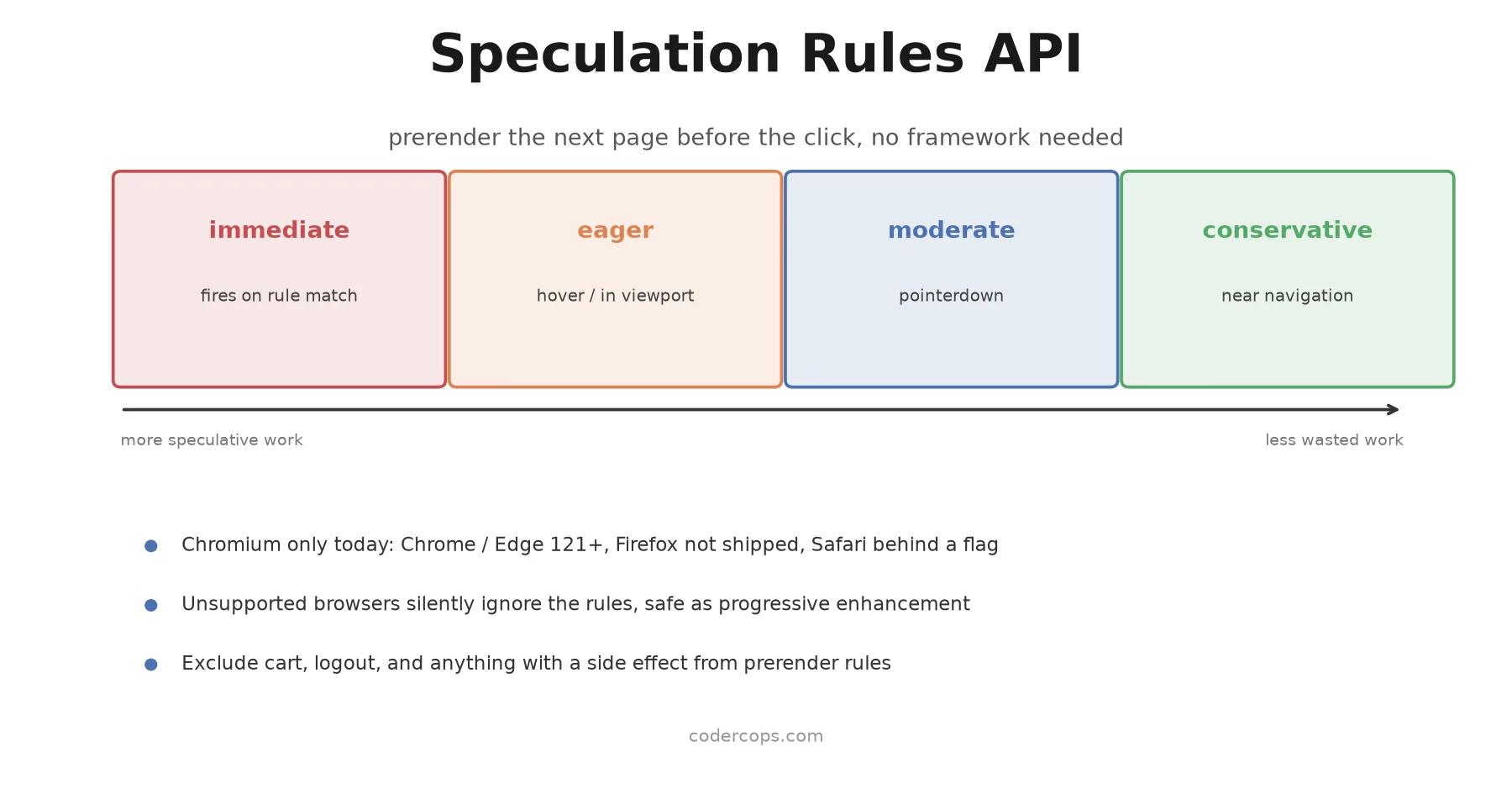
The obvious failure mode with speculative loading is wasting work: prerendering pages a user never clicks costs bandwidth, server load, and CPU for nothing. Eagerness is how you control that tradeoff, and it’s worth understanding all four levels rather than defaulting to whichever one shows up first in a tutorial.
| Eagerness | Fires when | Best for |
|---|---|---|
immediate | As soon as the rule matches, no user signal needed | A single, high-confidence next step, like a “continue” button in a checkout flow |
eager | Hover starts, or a link enters the viewport (about 50ms after, on mobile) | Primary navigation links, above-the-fold content links |
moderate | pointerdown, before the click fires | Most in-content links; a solid default |
conservative | Effectively at the moment of navigation | Low-confidence links, or pages expensive enough that false positives really hurt |
Start with moderate for general content links and reserve eager or immediate for links you’re confident about, like a “next article” link on a content site or a checkout continuation button. Going straight to immediate on every link on a page is how you turn a performance win into a server load problem.
The pages you should never speculate on
Prerendering runs a page’s JavaScript in the background before the user has committed to visiting it, which means anything with a side effect is off-limits by default. That includes analytics that should only fire on a real pageview, add-to-cart buttons, logout links, and anything that writes to a database or fires a one-time event like an order confirmation. Exclude these explicitly:
<script type="speculationrules">
{
  "prerender": [
    {
      "where": {
        "and": [
          { "href_matches": "/*" },
          { "not": { "href_matches": "/cart/*" } },
          { "not": { "href_matches": "/logout" } },
          { "not": { "selector_matches": "[data-no-prerender]" } }
        ]
      },
      "eagerness": "moderate"
    }
  ]
}
</script>
On the analytics side specifically, check document.prerendering (or listen for the prerenderchange event) before firing a pageview, and defer it until the page actually activates. Otherwise you’ll count pageviews for pages that were rendered speculatively and never actually shown to anyone, which quietly corrupts your traffic data in a way that’s annoying to diagnose after the fact.
A newer option worth knowing: prerender_until_script
Chrome 144, shipped in January 2026, added a prerender_until_script action that splits the difference between prefetch and full prerender. The browser fetches the HTML, begins rendering, and loads subresources, but pauses JavaScript execution at the first blocking script tag rather than running the page to completion. That gets you most of a prerender’s visual head start with meaningfully less wasted CPU on pages that turn out to be false positives, which matters more the more aggressive your eagerness settings are.
If you’re speculating broadly across a content-heavy site, it’s worth testing this against full prerender for pages where the JavaScript execution cost is the expensive part, rather than the network fetch.
Where this fits with the rest of your performance work
Speculation rules are a genuinely easy win for the specific case of full-page navigations, and they compose well with the caching and CDN work most teams already do. They don’t replace the fundamentals covered in HTTP caching with Cache-Control and ETags, and they’re not a substitute for actually shrinking a bloated page. What they do is remove the navigation wait entirely for the pages you’re confident a user is about to visit, which is a different kind of win than making any single request faster.
The actual takeaway
If your site does real page navigations rather than client-side routing, the Speculation Rules API is one of the highest-value, lowest-effort performance additions available right now: a few lines in a script tag, safely ignored by unsupported browsers, with no framework dependency. Start with moderate eagerness on your main content routes, explicitly exclude anything with a side effect, and check your analytics are prerender-aware before you ship it. The instant-navigation feel it produces is hard to replicate any other way without a much bigger architectural change.
Frequently asked questions
- What's the difference between prefetch and prerender in the Speculation Rules API?
- Prefetch downloads a page's HTML and key subresources ahead of time but doesn't render it. Prerender goes further: the browser actually renders the full page, including running its JavaScript, in a hidden background tab. When the user clicks, prerender feels instant because the page is already fully built; prefetch is faster than a cold load but still has to parse and render on click.
- Does this replace client-side routing in a single-page app?
- No, and it's not meant to. Speculation rules work at the browser's navigation layer for full page loads, which is exactly the case SPA client-side routing is designed to avoid. Where it helps most is traditional multi-page sites, content sites, and any app doing full navigations between routes rather than client-side transitions.
- Is the Speculation Rules API safe to use in production right now?
- Yes, as a progressive enhancement. Browsers that don't support it (Firefox, and Safari without the flag enabled) silently ignore the script tag, so there's no error and no broken experience, you just don't get the speed benefit there. The main things to get right are scoping which pages you speculate on and setting an eagerness level that matches your traffic patterns, so you're not prerendering pages nobody clicks.
- What does eagerness control in a speculation rule?
- Eagerness controls how confident the browser needs to be that a link will be clicked before it starts speculating. 'Immediate' fires as soon as a rule matches, 'eager' fires on hover or a link entering the viewport (on mobile, about 50ms after a link enters view), 'moderate' waits for a pointerdown, and 'conservative' waits until the user is essentially already navigating. Higher eagerness means faster perceived navigation but more wasted prerenders for pages the user never actually visits.
- How do I avoid prerendering pages with side effects, like a logout link or an add-to-cart button?
- Explicitly exclude them. Speculative loads shouldn't trigger anything with a side effect, since the browser might render a page the user never actually visits. Use the where clause to exclude specific selectors or URL patterns, check document.prerendering or the prerenderchange event server or client side to defer analytics and non-idempotent actions until the page is actually activated, and never rely on a prerendered page to fire a one-time event like an order confirmation.
Sources
Sponsored
More from this category
More from Web Development



Sponsored
Discussion
Join the conversation.
Comments are powered by GitHub Discussions. Sign in with your GitHub account to leave a comment.
Sponsored