Cybersecurity · Vulnerability Management
Chrome 152 Security Release: 327 Fixes, 10 Critical
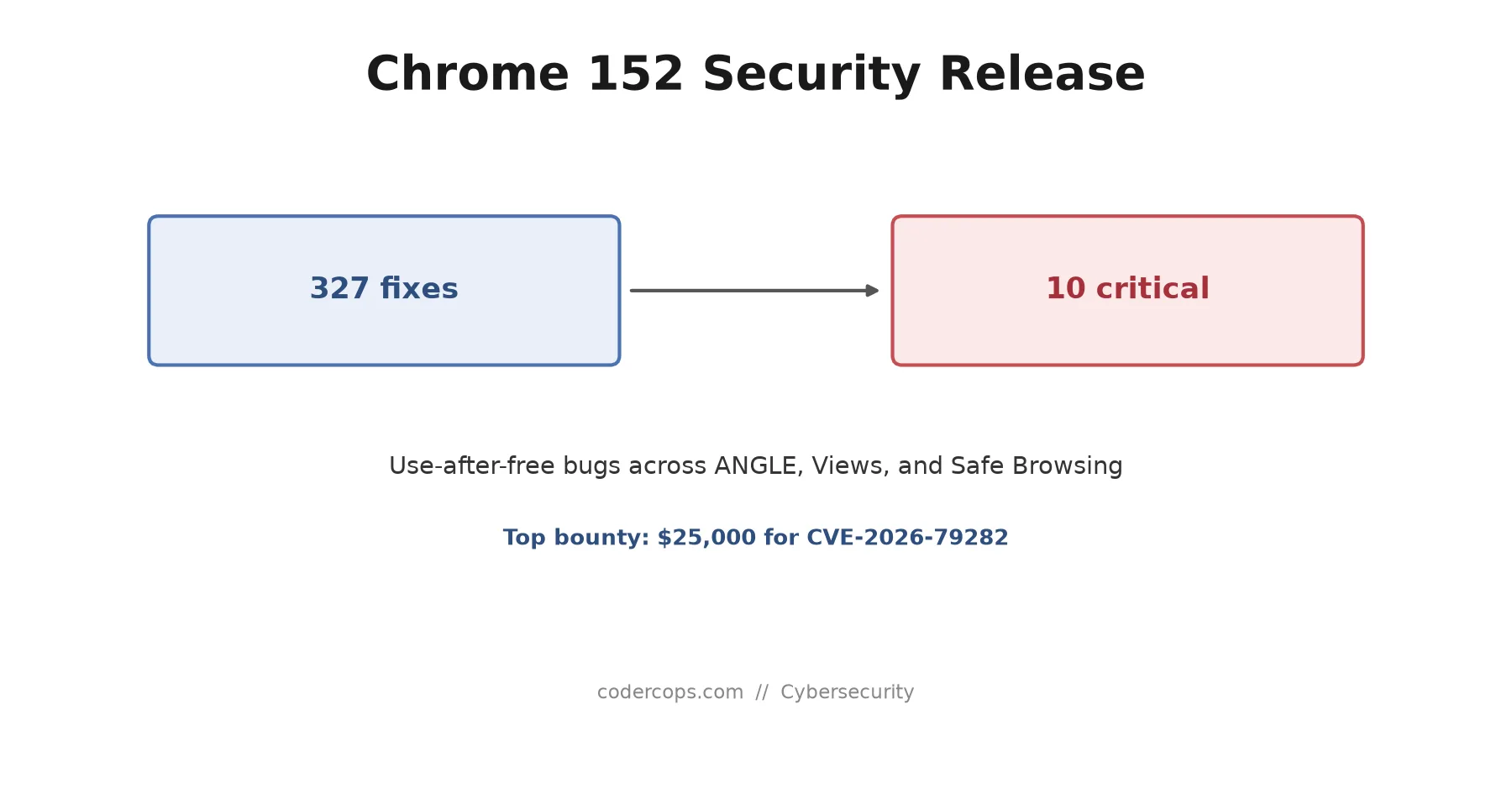
Chrome 152 landed 327 security fixes, 10 of them critical use-after-free bugs in ANGLE, Views, and Safe Browsing. Why not-exploited isn't the same as safe.

Prathviraj Singh
4 min read
Sponsored
Chrome updates roll out quietly enough that most people click “relaunch” without reading what changed. The 152 release is worth an actual look: 327 security fixes bundled into one update, 10 of them critical, and a bounty payout that tells you which bug Google’s own team was most worried about.
What actually shipped
Google pushed Chrome 152 to the stable channel for Windows, macOS, and Linux (152.0.7977.64/.65 on Windows and Mac, 152.0.7977.64 on Linux) with 327 security fixes. Ten are rated critical, and the pattern among them is consistent: use-after-free bugs, the class of memory-safety flaw where code keeps a reference to memory that’s already been freed and can be tricked into acting on attacker-controlled data sitting in that freed slot. This release’s critical bugs hit that pattern across ANGLE (the graphics translation layer), Aura, Chromecast, Views, and Safe Browsing.
Five of the externally reported bugs stand out by name:
| CVE | Component | Type | Bounty |
|---|---|---|---|
| CVE-2026-79282 | ANGLE | Use-after-free | $25,000 |
| CVE-2026-79150 | Views | Use-after-free | — |
| CVE-2026-79012 | Safe Browsing | Use-after-free | — |
| CVE-2026-79121 | Chromecast | Improper input validation | — |
| CVE-2026-78935 | Mobile | Uninitialized variable | — |
CVE-2026-79282, reported by a researcher going by Goodluck, took the largest single payout of the roughly $38,000 Google handed out to external researchers this cycle. Bounty size isn’t an official severity rating, but Google’s vulnerability reward program weighs exploitability alongside impact, and a $25,000 payout for a UAF in the graphics stack says the reviewers thought it was a realistic path to code execution, not a theoretical one.
Why “not confirmed exploited” isn’t the same as “not urgent”
Google’s advisory doesn’t list any of the 152 fixes as exploited in the wild at release time, which is the best-case scenario for a security update. It’s not a reason to sit on the patch.
Use-after-free bugs in ANGLE and Chrome’s rendering stack have a track record of getting weaponized fast once technical details leak, because the exploitation primitives (heap grooming, type confusion once you control freed memory) tend to be reusable across similar bugs in the same component. A patch that closes this month’s UAF doesn’t retroactively protect anyone who delayed rolling it out, and Chrome’s own release notes rarely include enough detail to assess exploitability yourself, which is exactly why “patch on schedule” beats “patch when it looks scary.”
The part teams miss: Chromium isn’t just the browser
If your team ships an Electron app, an embedded browser via CEF, or anything else that bundles Chromium, this release affects you the same way it affects a desktop Chrome install, and it’s the update most likely to get skipped. Nobody thinks of their Electron-based internal tool as “a browser that needs patching,” but it’s running the same rendering engine, the same ANGLE graphics layer, and the same Safe Browsing component that just got ten critical fixes.
Check the Chromium version your Electron or CEF release bundles against the version Chrome 152 ships, not against whatever Chrome happens to be installed on the same machine. They’re unrelated unless you’ve explicitly wired your build pipeline to track upstream Chromium releases, which is a good practice to establish if you haven’t. It’s the same discipline that matters for keeping any supply chain dependency current, just applied to a rendering engine instead of an npm package.
Confirming a fleet is actually patched
Auto-update handles most consumer machines without anyone noticing. Managed fleets are where gaps hide:
- Check
chrome://policyand your Chrome Browser Cloud Management console (or equivalent MDM reporting) for minimum-version enforcement, rather than trusting that auto-update reached every endpoint. - Flag machines that were offline, asleep, or off the managed network during the rollout window. Auto-update needs the machine to actually be running and connected to catch the release.
- Audit kiosk and signage deployments separately. These often run with auto-update disabled deliberately for stability, which means they need an explicit patch cycle instead of relying on the default behavior.
- Check embedded Chromium builds (Electron, CEF) against their own release schedule, not against your browser fleet’s patch status.
None of this requires new tooling most orgs don’t already have. It requires treating “the browser update went out” as a claim to verify, not an assumption to make, the same way you’d verify any other patch that closes ten critical holes at once.
If you’re running a formal patch management or vulnerability review process and want a second pair of eyes on how browser and embedded-Chromium updates get tracked across a fleet, that’s the kind of gap our team checks for during infrastructure reviews, alongside the server-side vulnerabilities that usually get more attention.
Frequently asked questions
- Is Chrome 152's security release the same as the Chrome 152 feature update?
- They're the same version number but different concerns. Chrome 152 also shipped new web platform features like CSS media state pseudo-classes and a CPU Performance API, covered separately. This release is specifically about the 327 security fixes bundled into that version, which matter even if you don't care about the new APIs.
- Are any of the Chrome 152 vulnerabilities being actively exploited?
- As of the release, Google has not confirmed active exploitation of any of the patched issues. That's a meaningfully better starting position than a release tied to a zero-day, but critical use-after-free bugs in a browser used by billions are a standing target, and proof-of-concept exploitation for previously disclosed Chrome UAF bugs has shown up within days in past releases.
- What is CVE-2026-79282?
- It's a use-after-free vulnerability in ANGLE, the layer Chrome uses to translate WebGL and other graphics calls into the native graphics API on a given OS. It was reported by an external researcher and earned the largest bounty of this release, $25,000, which reflects how exploitable Google's security team judged it to be.
- Does this affect Electron apps or other Chromium-based software, not just the Chrome browser?
- Yes, if the underlying Chromium build hasn't been updated. Electron, CEF-based apps, and other Chromium embeds ship their own copy of the rendering engine and don't get patched just because the Chrome browser on the same machine did. Check your Electron or CEF version against the Chromium version it bundles, not against your system Chrome version.
- How do I confirm a fleet is actually patched?
- Don't rely on auto-update alone for managed fleets. Chrome's enterprise policies let you query and enforce the minimum version via `chrome://policy` and centralized reporting (Chrome Browser Cloud Management or your MDM of choice), and `chrome://version` on an individual machine shows the exact build. Machines that were offline, asleep, or off the managed network during the update window are the ones that slip through.
Sources
Sponsored
More from this category
More from Cybersecurity
Sponsored
Discussion
Join the conversation.
Comments are powered by GitHub Discussions. Sign in with your GitHub account to leave a comment.
Sponsored