Web Development · Performance
The N+1 Query Problem: How to Actually Find and Fix It
An N+1 bug turns one page load into hundreds of round trips. What causes it, how to spot it in Django, Rails, and Prisma, and the eager-loading fixes.

Abhishek Gupta
6 min read
Sponsored
Your page works fine with 10 test rows and falls over with 10,000 real ones, and the database logs show the same query running over and over with only the ID changing. That’s the N+1 problem, and it’s one of the most common performance bugs in web applications built on an ORM, precisely because ORMs make it so easy to write without noticing.
What’s actually happening
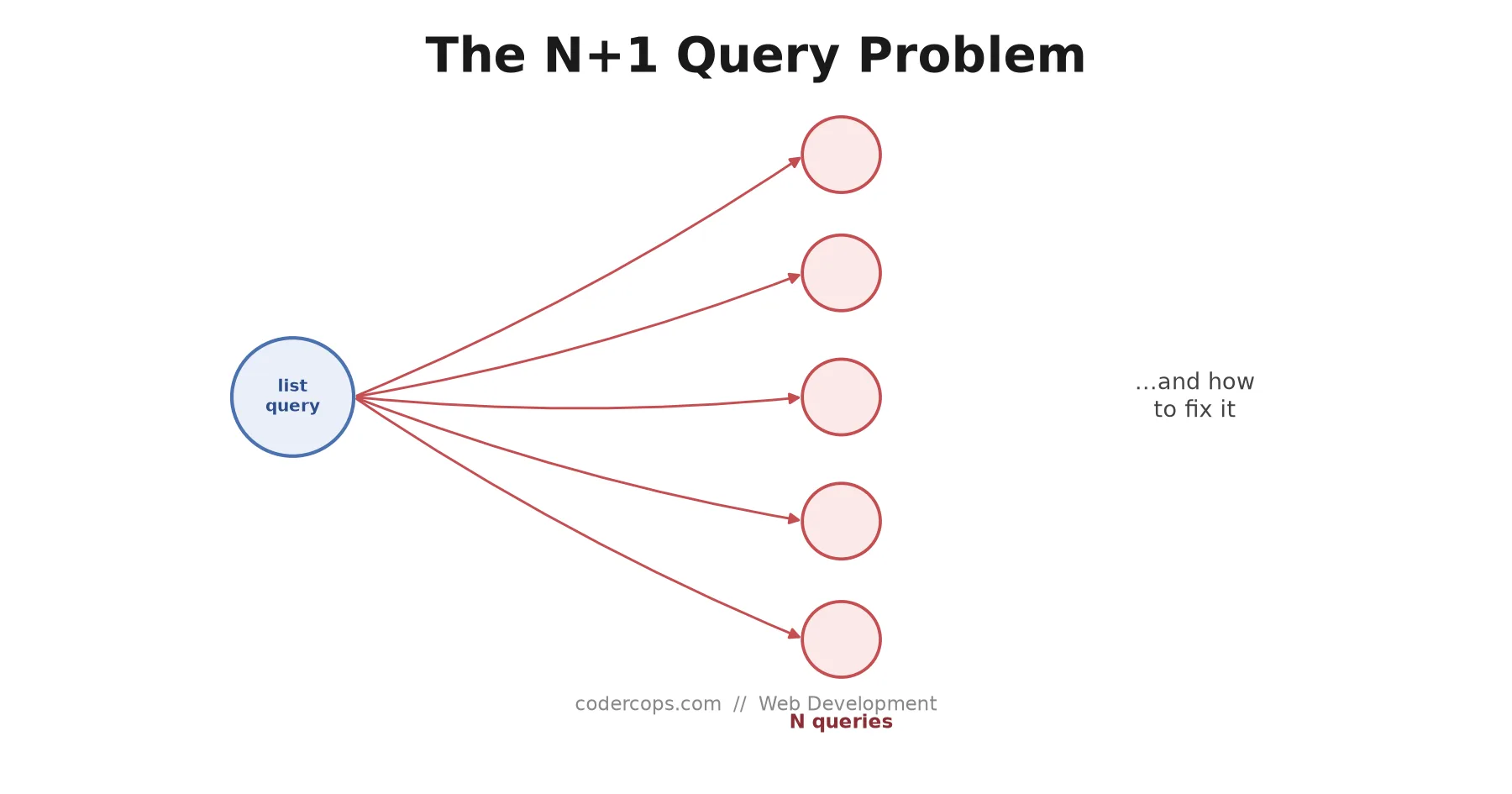
The pattern: you run one query to fetch a list of N records, then, for each record, you run a separate query to fetch some related data. Total queries: 1 (the list) + N (one per item) = N+1.
Here’s the classic version in Django:
# This looks innocent
posts = Post.objects.all()  # Query 1: SELECT * FROM post

for post in posts:
    print(post.author.name)  # Query 2, 3, 4, ... N+1: SELECT * FROM author WHERE id = ?
Each access to post.author triggers a fresh query, because the ORM doesn’t know you’re about to loop over every post and access .author on all of them. It just sees “get the author for this one post” and executes exactly that, N times.
The same pattern shows up in Rails:
posts = Post.all           # Query 1
posts.each do |post|
  puts post.author.name    # Query 2..N+1
end
And in Prisma:
const posts = await prisma.post.findMany();  // Query 1

for (const post of posts) {
  const author = await prisma.user.findUnique({ where: { id: post.authorId } });  // Query 2..N+1
}
Same shape, three different stacks. The bug isn’t specific to any one ORM; it’s a consequence of how lazy loading works everywhere.
Why it survives code review
With a handful of rows, an N+1 query is invisible. Six queries execute in single-digit milliseconds and the page renders instantly. Nobody watching the page load notices anything wrong, and the code itself reads perfectly naturally: loop over posts, print the author. There’s no visual signal in the source code that distinguishes “this is one query” from “this is N queries.”
The bug becomes visible exactly when it becomes expensive: real production data volumes. A blog listing page with 50 posts goes from 2 queries to 51. A dashboard rendering 500 orders with customer and product lookups can turn into 1,000+ queries on a single page load. Each of those queries pays its own network round trip to the database, and round trips, not query complexity, are usually what makes this slow.
The fix: eager loading
The fix is to tell the ORM up front that you’re going to need the related data for every item, so it fetches it in one additional query (or a JOIN) instead of one query per item.
Django:
# select_related for foreign keys / one-to-one (uses a SQL JOIN)
posts = Post.objects.select_related("author").all()  # Still 1 query, JOINs author in

# prefetch_related for reverse foreign keys / many-to-many (separate query, joined in Python)
posts = Post.objects.prefetch_related("comments").all()  # 2 queries total, not N+1
Rails:
posts = Post.includes(:author)  # 2 queries: one for posts, one for all matching authors
posts.each { |post| puts post.author.name }  # No additional queries, already loaded
Prisma:
const posts = await prisma.post.findMany({
  include: { author: true },  // Single query with a JOIN
});
All three do the same thing conceptually: fetch the list and the related data together, either through a JOIN or through a small, fixed number of batch queries, instead of one query per row. The query count stops scaling with N and becomes constant (or close to it) regardless of how many posts you’re rendering.
When eager loading is the wrong fix
Eager loading isn’t free, and reaching for it everywhere creates a different problem. Two cases worth watching for:
You don’t need the related data for every row. If you’re loading a list of 1,000 orders but only displaying customer details for the 10 that are flagged for review, eagerly joining customer data for all 1,000 wastes the extra query volume on rows you’ll discard. A targeted query for just the flagged subset is cheaper.
The related dataset per row is itself large. Eagerly loading every user’s full order history on a page that only needs their 5 most recent orders can pull far more data than N+1 ever would have, just in fewer round trips. In that case, a paginated or limited subquery per user, or a dedicated endpoint for order history, beats blanket eager loading.
The rule of thumb: eager load when you need the related data for most or all of the items in the list, and profile before assuming eager loading is automatically the win.
Catching it before production
Code review alone misses N+1 queries reliably, because the code looks correct. The fix is testing query counts directly:
# Django, with django-test-plus
def test_post_list_query_count(self):
    PostFactory.create_batch(10)
    with self.assertNumQueries(2):  # 1 for posts, 1 for prefetched authors
        response = self.client.get("/posts/")
        self.assertEqual(response.status_code, 200)
If someone later removes the prefetch_related call, or adds a new field that triggers a fresh lazy load in the template, this test fails immediately with a query count that jumped from 2 to 12, long before it reaches a staging environment with real data. Pair that with APM query-count tracking in production (Datadog, New Relic, and Sentry all surface per-request query counts) as a second layer, since tests only catch the code paths you thought to test.
N+1 queries are one of the highest-value bugs to fix precisely because the fix is small and the payoff scales with your data. A page that goes from 500 queries to 3 doesn’t just get faster, it stops being a circuit breaker trip waiting to happen the day your database connection pool is under real load. Add a query-count assertion to your slowest list-rendering pages this week; it’s usually a five-line test that catches a bug that would otherwise wait for production traffic to find it for you.
Related reading: how B-tree database indexes work, GraphQL’s N+1 problem and DataLoader and Drizzle ORM.
Frequently asked questions
- What exactly is the N+1 query problem?
- It's a pattern where loading a list of N records triggers one query to fetch the list, then N additional queries, one per record, to fetch related data for each item individually. Instead of 1 query for the list and 1 query (or a handful) for all the related data together, you get 1 + N total queries. A page showing 50 blog posts with author names, done naively, can mean 51 separate database round trips instead of 2.
- Why doesn't this show up in local testing?
- Because local development and test databases usually have a handful of seed rows. The N+1 pattern executes the same number of queries per item regardless of data volume, so with 5 test records it's 6 queries and barely noticeable. With 5,000 production records it's 5,001 queries, and the page that loaded instantly in development now times out. The bug's severity scales with data volume in a way that's easy to miss until real traffic hits it.
- Is eager loading always the right fix?
- It's the right fix when you actually need the related data for every item in the list, which is the common case. It's the wrong fix when you only need related data for a subset of items (loading everything eagerly wastes the query on rows you'll discard) or when the related dataset per item is itself huge (eager loading a user's 10,000 orders on a page that shows the 5 most recent is worse than N+1). Match the loading strategy to what the page actually renders.
- How do I catch N+1 queries before they reach production?
- Query-count assertions in your test suite are the most reliable method: assert that rendering a given page or serializing a given response executes no more than a fixed number of queries, and let the test fail if that number grows. Django has django-test-plus's assertNumQueries and Rails has similar tooling built into ActiveSupport::TestCase. APM tools (Datadog, New Relic, Sentry) that show per-request query counts in production are the second line of defense for catching what tests miss.
Sponsored
More from this category
More from Web Development



Sponsored
Discussion
Join the conversation.
Comments are powered by GitHub Discussions. Sign in with your GitHub account to leave a comment.
Sponsored